The Cyber Resilience Act, run from Jira.
The vulnerabilities and incidents your scanners and teams already log in Jira become the records the CRA asks for: the three Article 14 deadlines, the ENISA fields, the fix, the users informed, a CSAF advisory and a dated evidence file.
- Regulation (EU) 2024/2847
- Article 14
- Annex I Part II
Designed to help manufacturers meet these requirements. It submits nothing on your behalf.
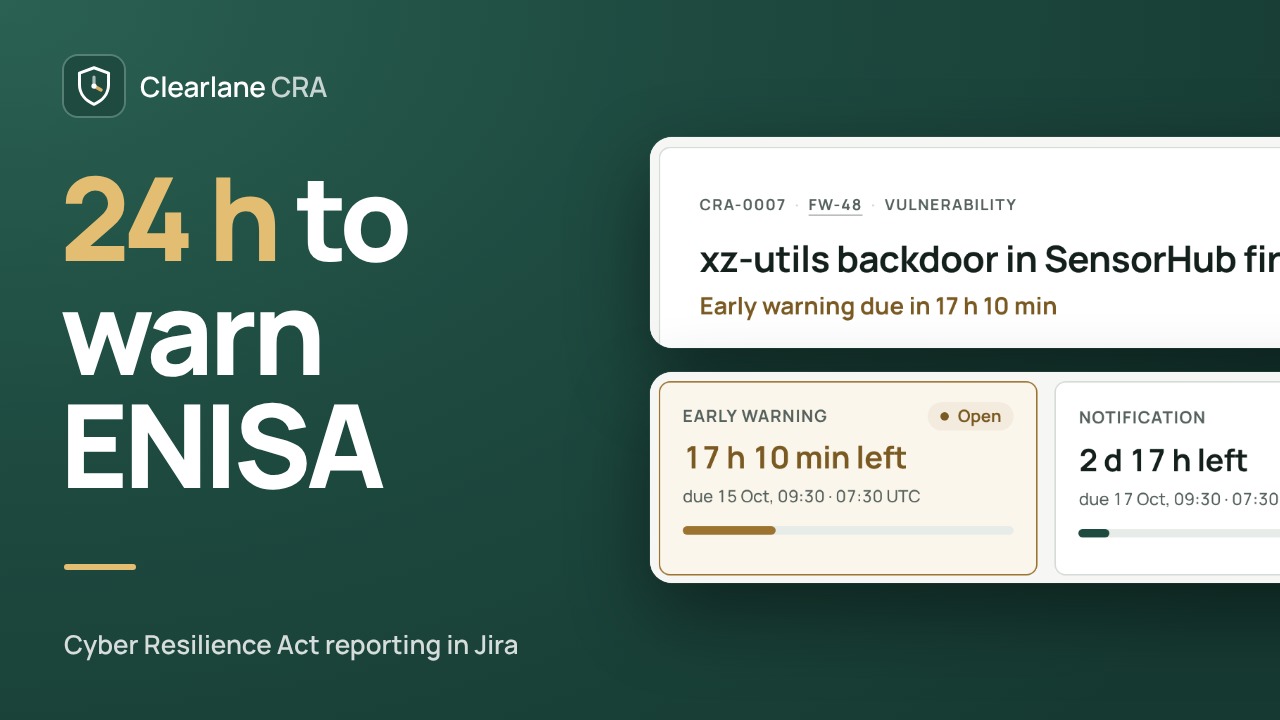
Three clocks, from the moment you knew.
A signed, dated qualification records whether the vulnerability is actively exploited, or the incident severe, and when you became aware of it. From then on, the app counts down every report.
- Early warning: 24 hours
- Notification: 72 hours
- Final report: 14 days after the fix, or one month after the notification for an incident
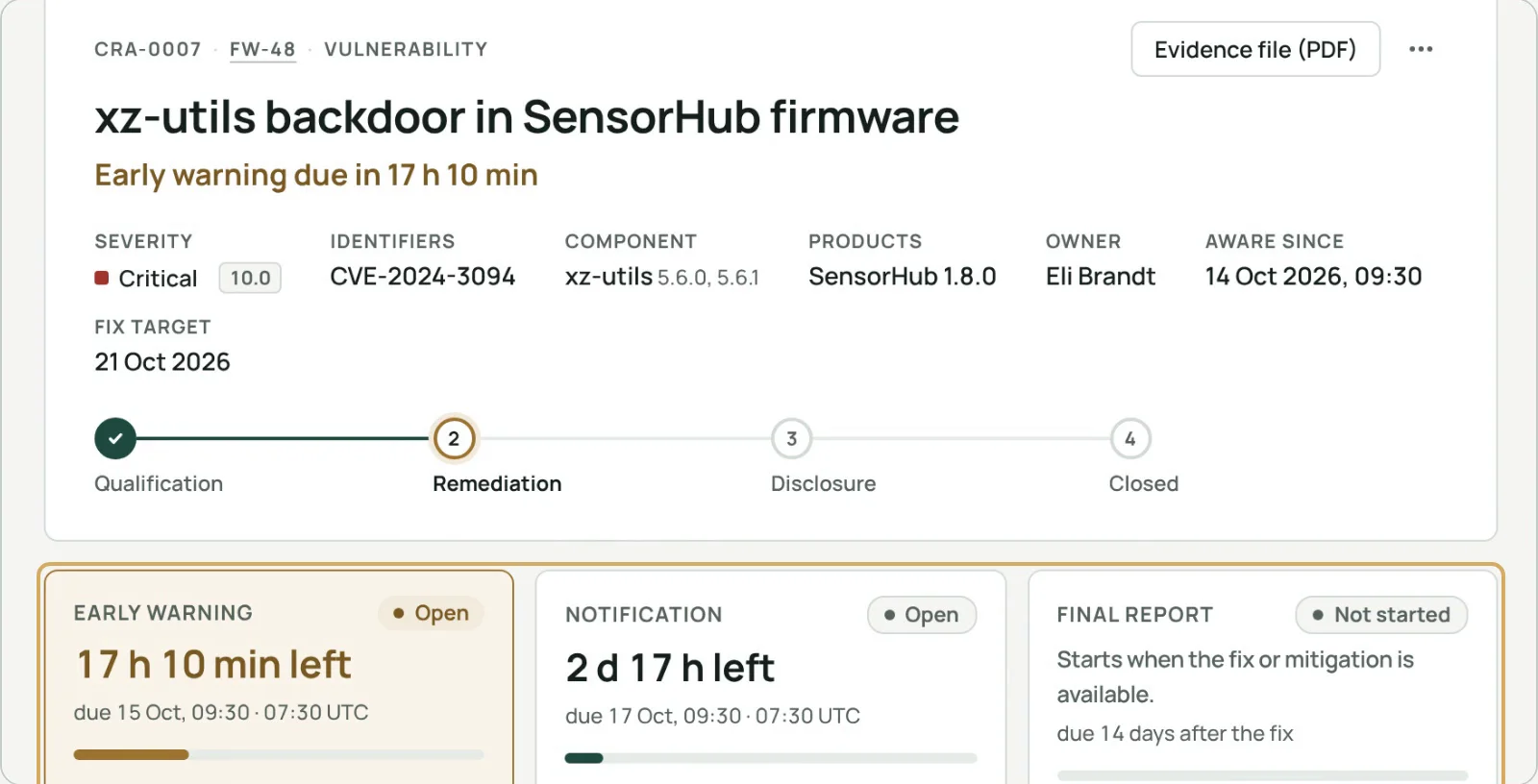
ENISA fields, ready to paste.
ENISA’s Single Reporting Platform has no API. For each report, the app prepares every field with the platform’s own label and length limit, marks what is required, and lets you copy them one by one or all at once. Clearlane CRA never submits anything on your behalf.
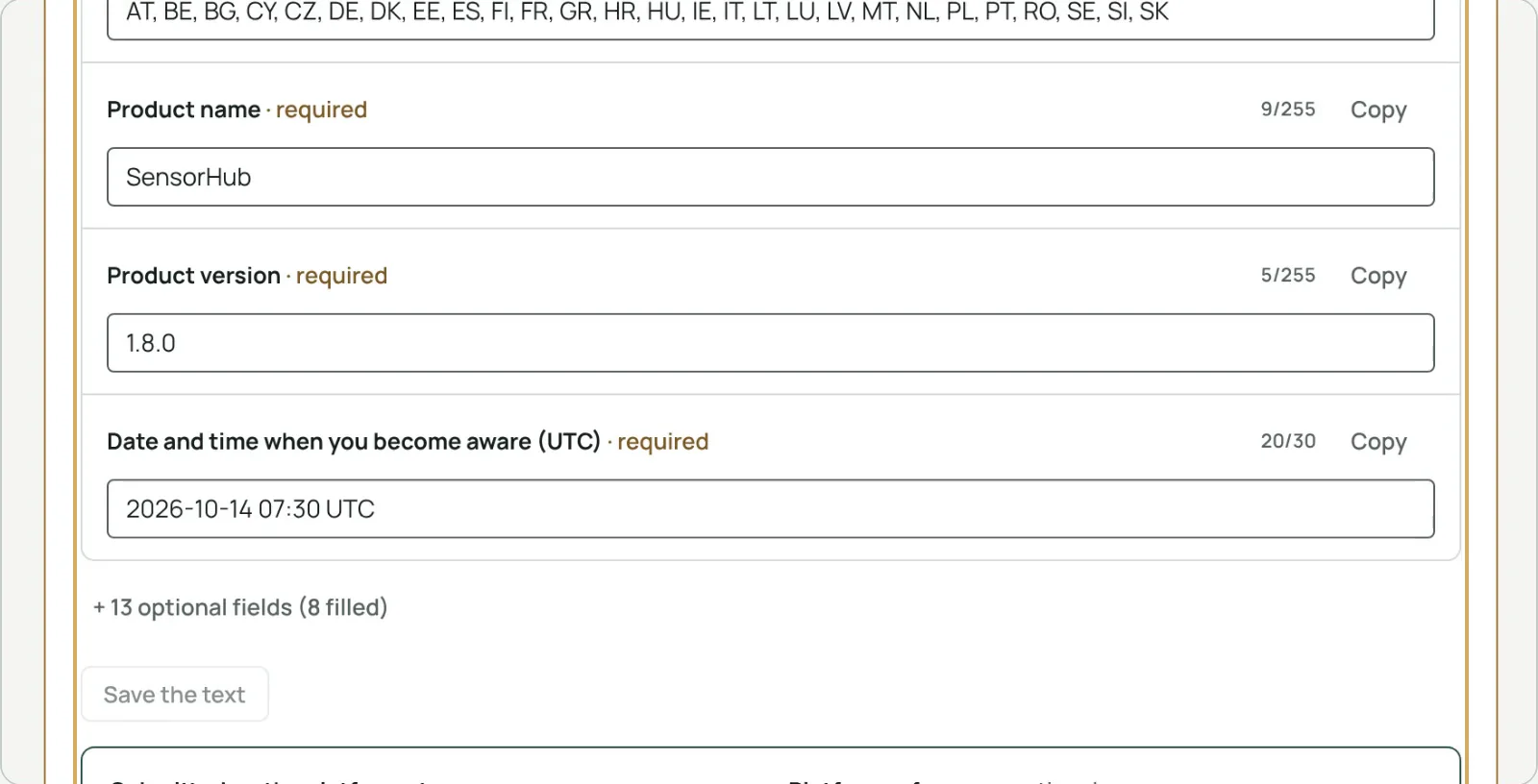
Which products ship this component?
Import a CycloneDX or SPDX JSON file for each version. Search “lodash <4.17.21”, “xz-utils 5.6.0” or a package URL: every SBOM is searched, the version range is checked, and one click opens a case for all the versions found.
Fix, users informed, advisory.
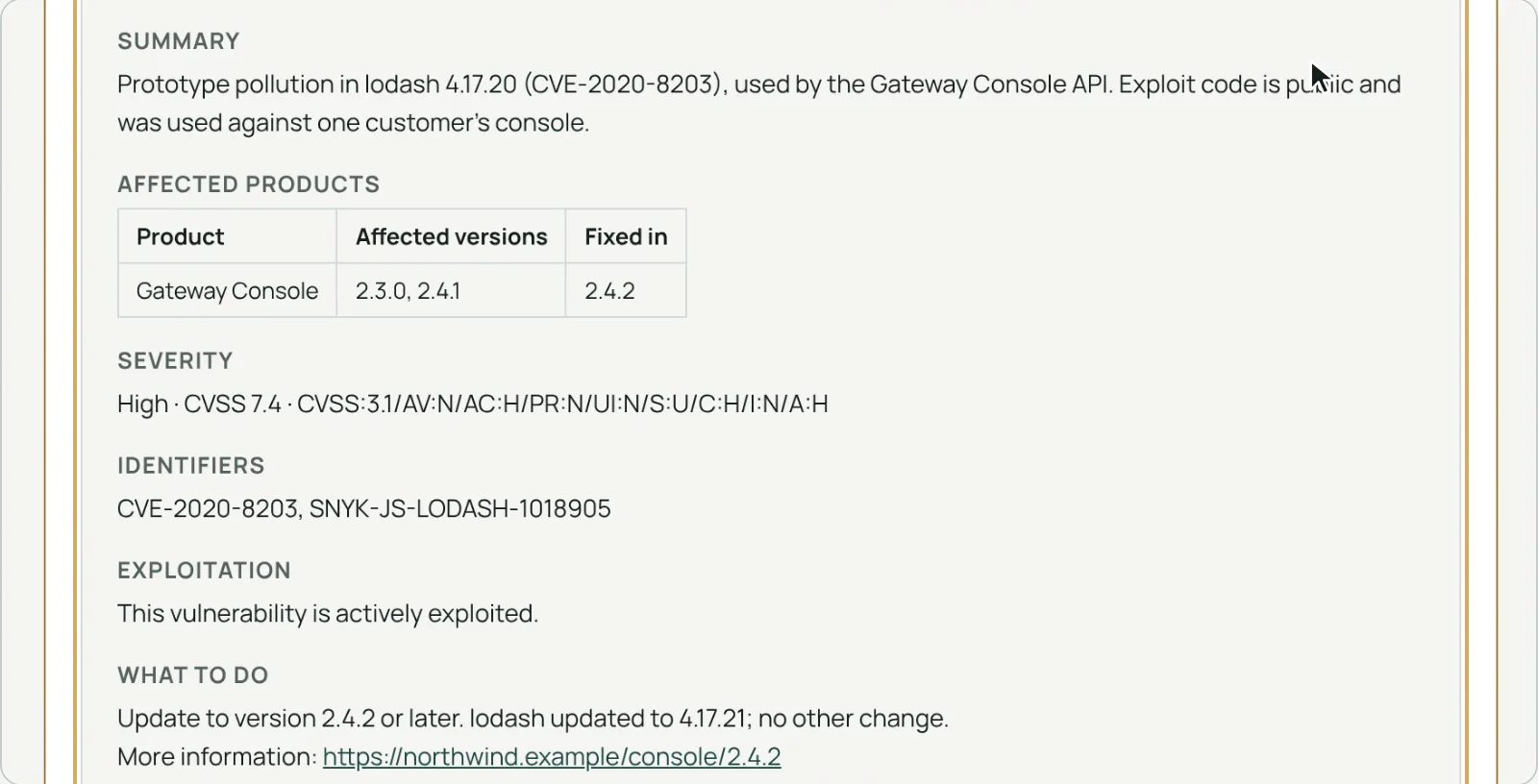
Record the security update or mitigation, inform users (Article 14(8)) with a notice prefilled from the case, and publish a security advisory with a CSAF 2.0 file built from the record, which passes the standard’s schema and mandatory tests.
Products, versions and support periods.
Your products
Kind, CRA class (default, important I or II, critical), the conformity route it implies, and the Member States where each is sold.
Support periods
Five years by default, with a recorded reason when it is shorter (Article 13(8)).
Early warnings
Support ending within six months, and versions on the market without an SBOM.
An evidence file you can keep for ten years.
The security team qualifies and closes each case with an electronic signature. The PDF evidence file holds the facts, the decisions, the reports, the fix, the notice, the advisory and the signatures; Jira keeps it on the work item even without the app.
Electronic signature
Name, date, meaning, signing password and SHA-256 fingerprint.
Ten years
Keep it with your technical documentation (Article 13(13)).
A register for the site
Reportable, late, due within 24 hours, to qualify.
Searchable in Jira
craNextDue, craOverdue, craProduct and more, in JQL.

Clearlane CRA helps manufacturers meet the reporting and vulnerability handling requirements of the Cyber Resilience Act (Regulation (EU) 2024/2847, Article 14 and Annex I Part II). It does not submit anything on your behalf, and your own assessment still applies.
From the scanner’s work item to the final report.
- Open the CRA panelof a Snyk, Dependabot, GitHub, Mend, Trivy, Grype or Sonatype work item. Package, CVSS and fixed version are read for you.
- Qualify and signThe clocks start from the moment you became aware.
- Report, fix, inform, closeEach owner gets one reminder e-mail a day from Jira.
Permissions and data
The app runs on Atlassian Forge (Runs on Atlassian). You see a case only if you can see its work item. Work items for new cases are created, and the CSAF and PDF files attached, with the permissions of the person who asks.
Cases, reports, the audit trail, products, versions, SBOM component lists, settings, Atlassian account IDs and the names shown at signing are kept in Atlassian’s storage for your site; signing passwords only as a salted hash. Reminders are a daily e-mail sent by Jira to each case owner. Nothing is sent to ENISA, to our servers or to anyone else.
Questions, answered.
- Where do I find it?
- In Jira’s apps menu for the register and the products, and in the CRA panel of any work item.
- Who qualifies and closes a case?
- The security team: the people and groups a Jira administrator names in the settings, usually the PSIRT. Jira administrators are always part of it.
- Does it work for software and for devices?
- Yes. A product can be software, a device or both, and each version keeps its own SBOM and support period.
- Does it work in French?
- Yes. The app follows each person’s Jira language, in English or French. The ENISA fields stay in English, like the platform.
Free for up to 10 users.
Larger teams pay per user, billed by Atlassian on the Marketplace. No setup, nothing to install outside your Atlassian site.