 Clearlane
Which pages can we still trust?
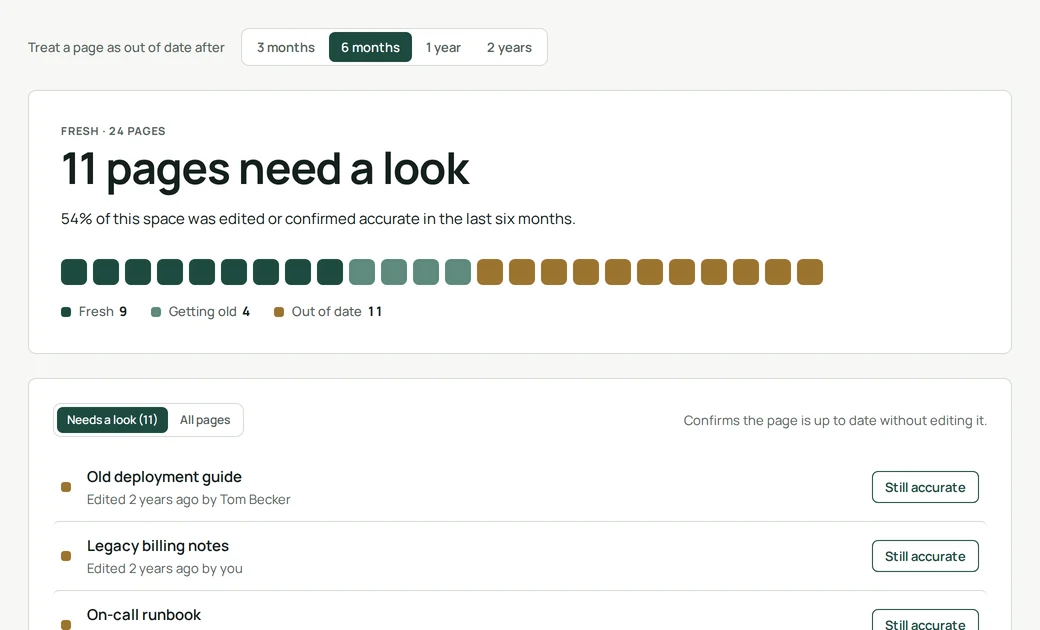
Fresh shows how fresh every page of a Confluence space is, and lets anyone with edit rights confirm a page is still accurate in one click.
How it works
A page is fresh when someone edited it or confirmed it recently. You choose when a page counts as out of date: after three months, six months, one year or two years. Pages in the second half of that window are getting old; beyond it, they are out of date and listed first.
“Still accurate”
Many good pages simply do not need changes. The Still accurate button records that someone checked, without creating a new version or notifying followers. The page turns fresh again, and everyone can see who confirmed it and when. Only people allowed to edit a page can confirm it.
Permissions and data
Fresh reads page titles and edit dates with the permissions of the person looking. It keeps only the confirmations (page, date and person) and the space’s time window, in Atlassian’s storage for your site. Nothing is sent to our servers.
- Where do I find it?
- Open a space in Confluence and choose Clearlane Fresh among the space’s apps.
- Does confirming a page change it?
- No. The page content, its history and its watchers are untouched.
- Who sees the time window I choose?
- Everyone in the space: the setting is shared, so the whole team works to the same rhythm.