Run your quality system in Jira and Confluence.
An audit comes down to a few plain questions: who approved it, who was trained, what was corrected, and where is the proof? Clearlane for Quality keeps the answers where your teams already work: controlled documents, training records, corrective actions, Cyber Resilience Act reporting, breach and incident notifications and test evidence. Electronic signatures bound to the content, and a PDF evidence file for every record.
Runs on Atlassian Your data stays in your Atlassian site.
- FDA 21 CFR Part 11
- ISO 9001
- ISO 13485
- 21 CFR 820
- Cyber Resilience Act
- GDPR · NIS2 · DORA
Designed to help teams meet these requirements. Validating your system for your own intended use remains your responsibility.
Your quality records are already half there.
Procedures live in Confluence, complaints, defects and audit findings in Jira. What is usually missing is what an auditor asks for: who approved which exact version, who read it, what was done about a problem, and proof that it worked.
Each Clearlane app adds one of those missing pieces, on the pages and work items you already have. No new tool to roll out, no data copied elsewhere.
Common uses, specific needs.
Every regulated team approves documents, trains people, corrects problems and reports incidents. What changes is the rulebook: each industry page maps yours.
GxP: SOPs, training, CAPA
21 CFR Part 11 and EU GMP Annex 11: signed SOPs, training per version, deviations and CAPA, protocol execution.
Learn moreISO 13485 and IEC 62304
Document control, training, CAPA and software system testing traced to requirements, with evidence that includes the signatures.
Learn moreDORA and GDPR
ICT policies reviewed every year, staff trained, major ICT-related incidents reported on time and learned from.
Learn moreISO 27001, NIS2 and CRA
Security policies acknowledged, incidents and product vulnerabilities reported on time, corrective actions and tests signed.
Learn moreISO 9001, 14001 and 45001
Procedures and work instructions, training, nonconformities and CAPA, verification records, connected products under the CRA.
Learn moreFrom the procedure to the proof.
Each app works on its own. Together, they cover the loop an auditor follows.
- Clearlane Controlled Documents
Approve the procedure
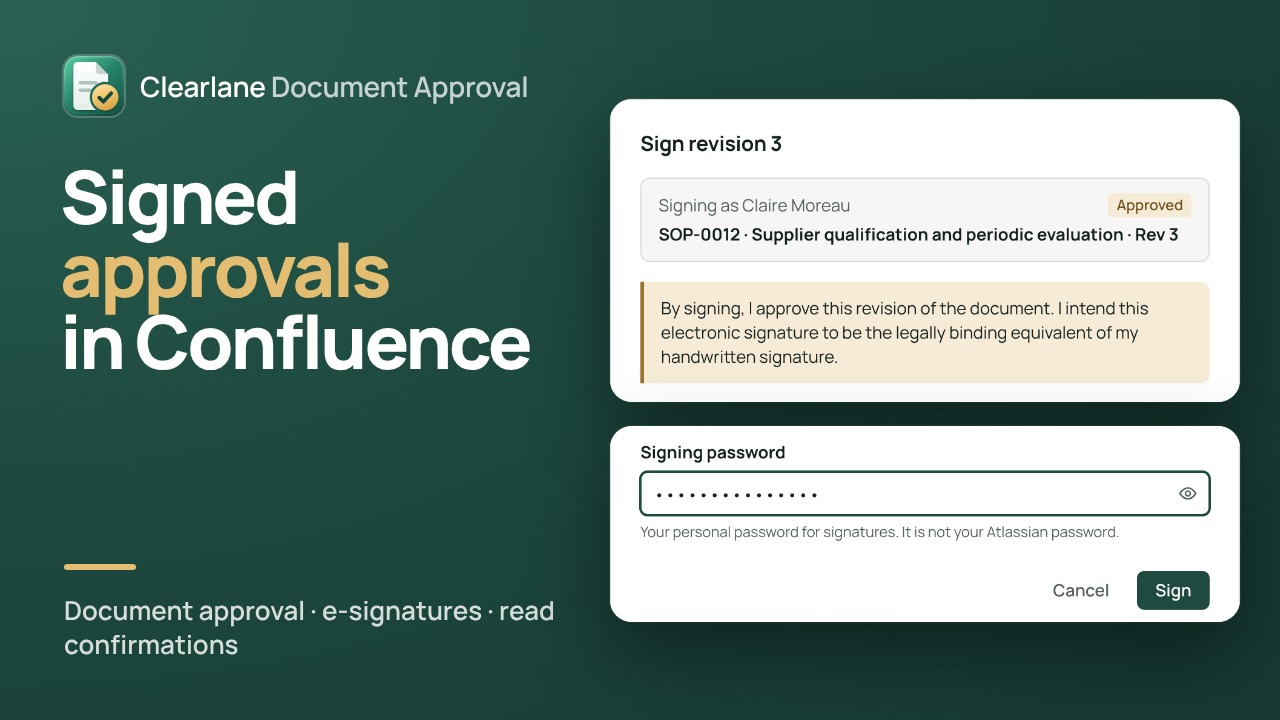
Signed approvals bound to the exact content, periodic reviews, a register per space.
- Clearlane Read & Understood
Prove people read it
Read and understood per page version, with questions, reminders and a PDF record.
- Clearlane CAPA
Fix what went wrong
Root cause, signed plan, actions as Jira work items, dated effectiveness check.
- Clearlane CRA
Report vulnerabilities on time
Article 14 clocks, ENISA fields, SBOM search, CSAF advisory.
- Clearlane Breach & Incident Reporting
Notify breaches and incidents on time
GDPR, NIS2 and DORA clocks, texts ready to paste, a breach register.
- Clearlane Tests
Prove it was tested
Test cases traced to requirements, signed runs, coverage and a PDF report.
- Clearlane Risk Register
Assess and treat the risks
A risk register per project, 5 × 5 risk map, actions as Jira work items, signed reviews.
Which app helps with which requirement.
The requirements below are the ones each app is designed to help with. Your own validation still applies.
| Requirement | What the app does | App |
|---|---|---|
| FDA 21 CFR Part 11 | Electronic signatures with name, date, meaning, a personal signing password and a fingerprint of the content; audit trail. | Clearlane Controlled Documents |
| ISO 9001 · ISO 13485 | Document control: approval, effective revision, edits flagged after approval, periodic review. | Clearlane Controlled Documents |
| ISO 9001:2026 §7.2–7.3 · ISO 13485 §6.2 | Training and awareness: confirmations per page version, comprehension questions, records by person. | Clearlane Read & Understood |
| ISO 9001:2026 §10.2 · ISO 13485 §8.5.2–8.5.3 · 21 CFR 820 (QMSR) | Corrective and preventive actions: root cause, approved plan, actions, effectiveness check. | Clearlane CAPA |
| Cyber Resilience Act, Article 14 and Annex I Part II | Reporting clocks, report fields, fix, users informed, security advisory and CSAF file. | Clearlane CRA |
| GDPR Articles 33–34 · NIS2 Article 23 · DORA Article 19 | Breach and incident notifications: deadlines from awareness, texts ready to paste, submissions recorded, breach register. | Clearlane Breach & Incident Reporting |
| IEC 62304 · ISO 13485 §7.3.6 | Verification records: test cases traced to requirements, signed results, coverage and a PDF report. | Clearlane Tests |
| ISO 14971 · IEC 60812 · ISO/IEC 27001 · NIS2 · DORA | Risk assessment and treatment: templates per standard, inherent and residual risk, FMEA with RPN, actions as work items, signed periodic reviews. | Clearlane Risk Register |
Clearlane apps never claim certification. They are designed to help you meet these requirements; your own assessment and validation remain necessary.
Every record comes with its evidence file.
Each app produces a dated PDF your auditor can read without you: signatures, history, confirmations and the audit trail.
Bound to the content
A signature covers the exact version that was signed.
Nothing leaves Atlassian
Records stay in Atlassian’s storage for your site.
Validation support
21 CFR Part 11 and ISO 13485 mapping, OQ test scripts.
From a complaint
Open a CAPA straight from a Jira Service Management request.
Questions, answered.
- Can Jira and Confluence hold a quality system?
- They can hold the documents and the records. What the apps add is what audits check: signatures bound to the exact content, read confirmations per version, a CAPA workflow with proof, and a PDF evidence file.
- Do the apps work together?
- Each app works on its own, on your existing pages and work items. You can start with one and add the others when you need them.
- Who validates the system?
- You do, for your own intended use. Our validation support gives the 21 CFR Part 11 and ISO 13485 8.5.2 mappings and OQ test scripts.
- Where is the data kept?
- In Atlassian’s storage for your Atlassian site. Nothing is sent to our servers or to anyone else.
Free for up to 10 users, on every app.
Every app is free for up to 10 users, with a free trial for larger teams. Start with the one you need, and add the others later.