Delivery dates you can promise.
Forecast answers the question every team gets asked, using nothing but your own Jira history: when will it be done?
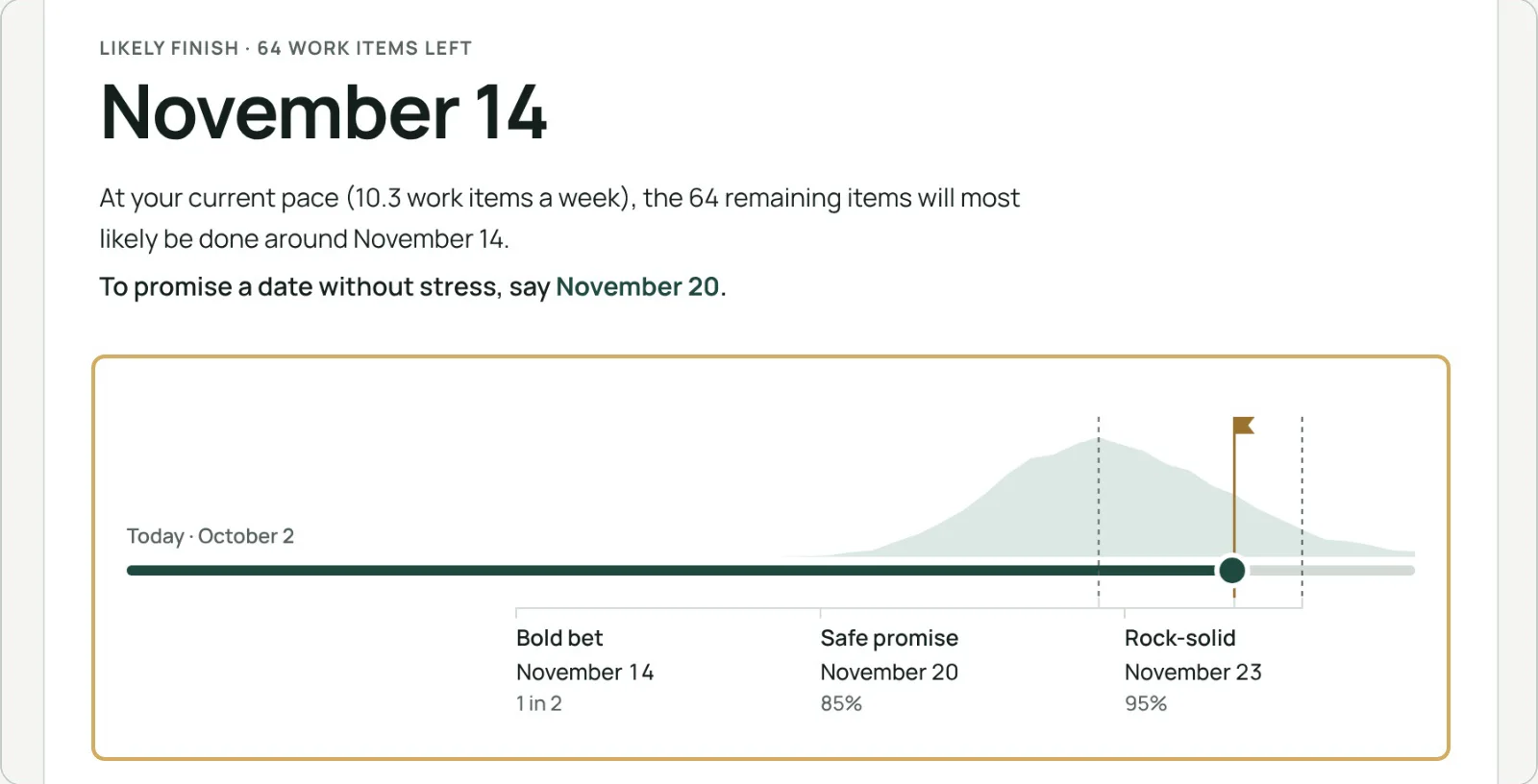
Three dates, and the one to give.
Forecast plays out 10,000 possible futures by drawing from your real days, until the work you picked is done. The spread of those futures gives the dates.
- Bold bet: half of the futures finish by this date
- Safe promise: 85 out of 100. The one to give your stakeholders
- Rock-solid: 95 out of 100
Your odds for any deadline.
Pick a date and see your chance of being done by then, in one figure.
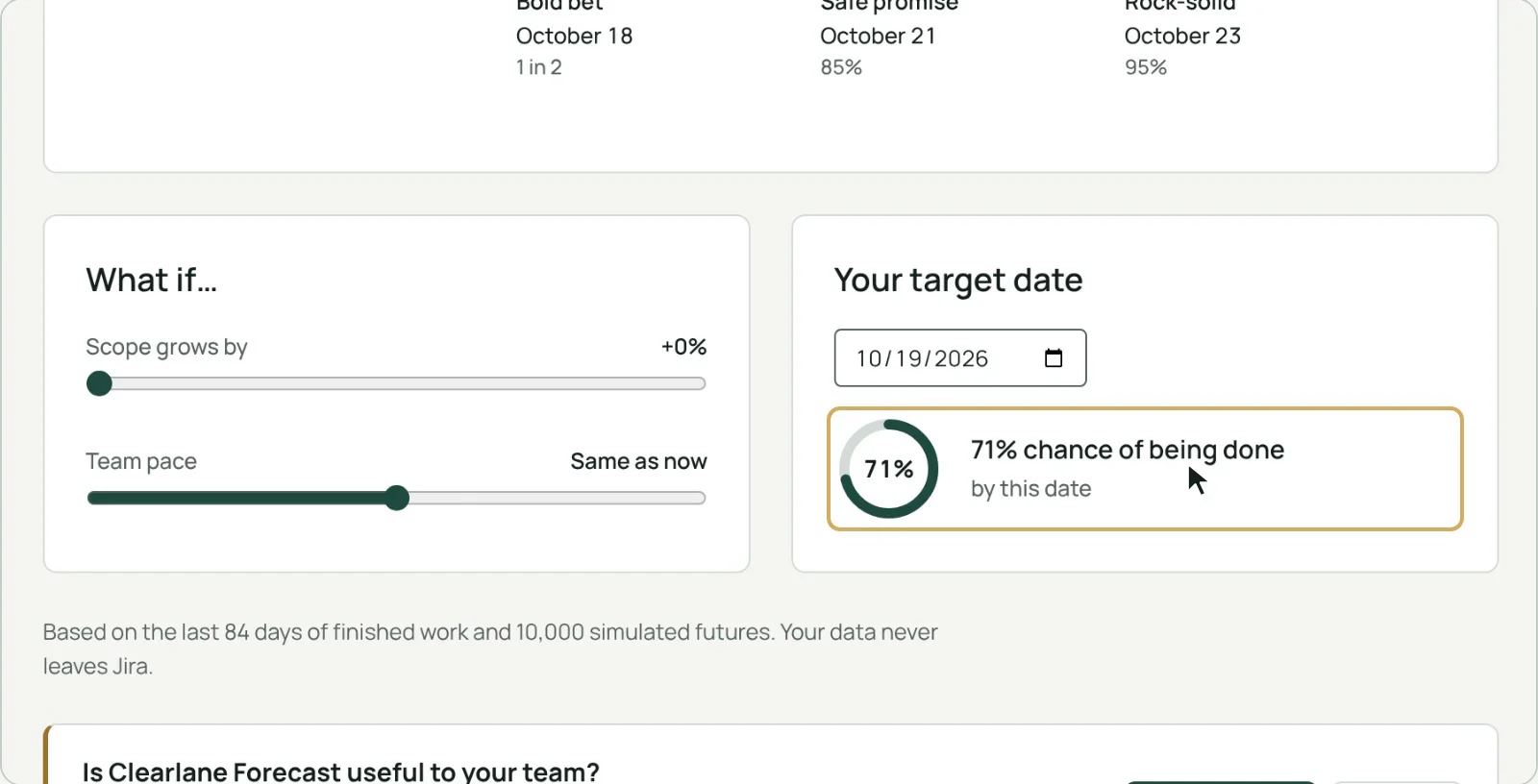
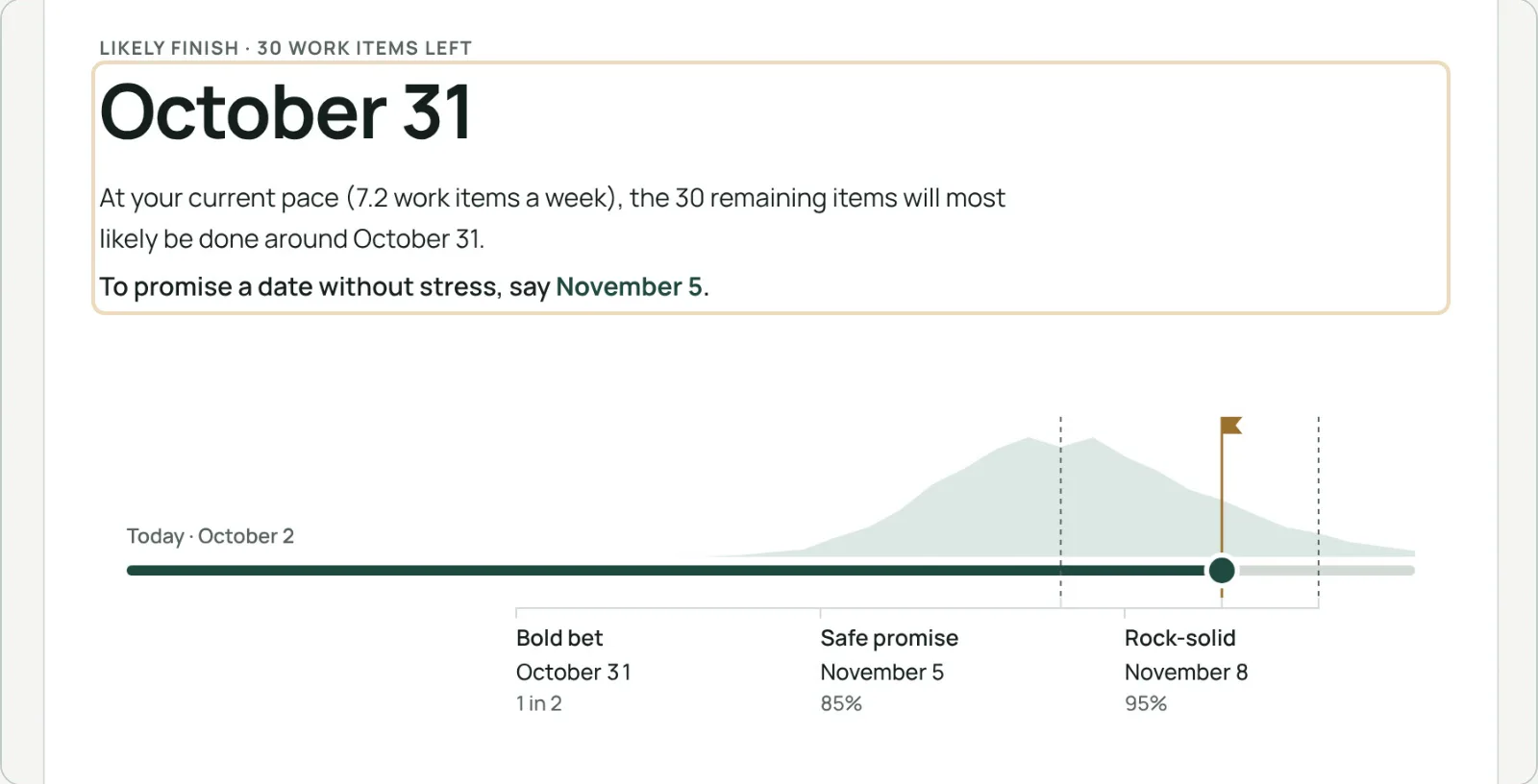
What if the scope grows?
Move the scope or the team’s pace and the forecast follows at once. Answer “and if we add 30%?” in the meeting, not after it.
And this sprint? A sprint burndown.
Switch to Sprint burndown at the top of the page: what is left in the current sprint day by day, against the ideal line, with the work added or taken out along the way. In work items or story points, weekends hidden if you like. Also on any Jira dashboard: add the “Sprint Burndown – Clearlane Forecast” gadget and pick the project.
Your history already knows your pace.
Forecast counts how many work items your project finished on each of the last 84 days, then simulates the rest.
Your real pace
The last twelve weeks of finished work.
What counts
Stories, tasks, bugs and other standard work items.
Nothing counted twice
Epics and subtasks are left out.
Finished means done
A status in the Done category.

A date in three clicks.
- Open any projectand choose Clearlane Forecast in the project sidebar.
- Pick the workAll open work, a version or an epic.
- Read the datesand try what-if scenarios in seconds.
Ask Rovo when the work will be finished.
Clearlane Forecast adds a Rovo agent, “Clearlane Forecast”. Ask it when all open work in a project will be finished: it gives the same three dates as the page, with their chances. You can also ask about a version or an epic, or what happens if 10 work items are added. A version or an epic is forecast at the pace of the whole project, as on the page, and the agent says so. It answers from the same Jira work items as the page, only with what you are allowed to see, and it only reads: it never changes anything. It works where Rovo is turned on for your Atlassian site; Clearlane adds no AI model of its own.
Permissions and data
Forecast only reads your Jira work, with the permissions of the person looking at the page. It stores nothing and sends nothing outside your Atlassian site.
Questions, answered.
- Where do I find it?
- Open any project in Jira and choose Clearlane Forecast in the project sidebar.
- Why does it say there is not enough history?
- The project finished no work item in the last twelve weeks, so there is no pace to learn from yet.
- Can I forecast a single epic?
- Yes. Choose “An epic” and pick it from the list.
- Is there a sprint burndown chart?
- Yes. Choose Sprint burndown at the top of the page: the active sprint, or another active or recently closed one, in work items or story points. It is also a dashboard gadget: “Sprint Burndown – Clearlane Forecast”.
- Does it work in French?
- Yes. The app follows each person’s Jira language, in English, French or German.
- Does it work with Rovo?
- Yes. Its Rovo agent answers questions such as “When will all open work in this project be finished?” from the same Jira work items as the page. It only reads, and only shows what you are allowed to see.
Clearlane for Projects
Clearlane for Projects: budgets, delivery forecasts, flow and timelines, built from the work already in Jira, with no extra data entry.
Built and supported by Maxime Ragionieri, founder of Clearlane. Who’s behind Clearlane →
Free for up to 10 users.
Larger teams pay per user, billed by Atlassian on the Marketplace. No setup, nothing to install outside your Atlassian site. See the price for your team size →