NIS2 / DORA incident reporting & GDPR breach notification in Jira
Turn an incident logged in Jira or Jira Service Management into the notifications the GDPR, NIS2 and DORA ask for: every deadline counted, from the moment you became aware to the final report, texts ready to paste into the authority’s form, each submission recorded, and a signed evidence file.
- GDPR Articles 33 and 34
- NIS2 Article 23
- DORA Article 19
Designed to help you meet these notification requirements. It submits nothing on your behalf, and the legal assessment remains yours.

Qualify once, see every deadline.
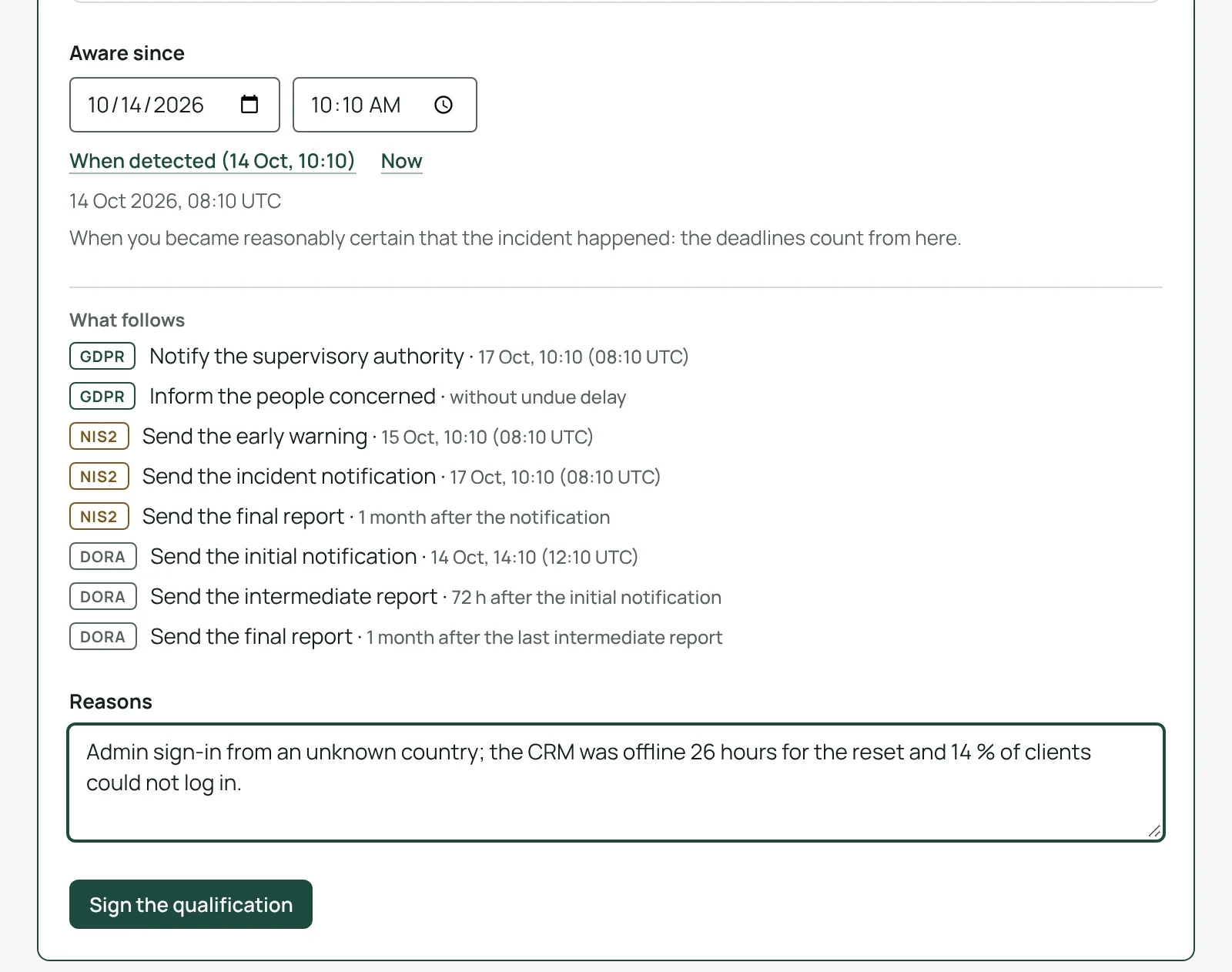
Answer the questions for the regimes that apply to you: a personal data breach and how high the risk is, a significant NIS2 incident, a major DORA ICT-related incident with its classification criteria and a calculated suggestion. Before you sign, the app lists every deadline that follows, from the time you became aware to the final report.
- GDPR: the supervisory authority within 72 hours, the people concerned without undue delay
- NIS2: early warning within 24 hours, incident notification within 72 hours, final report within one month
- DORA: initial notification within 4 hours of classification (24 hours of awareness at most), intermediate report within 72 hours of it, final report within one month
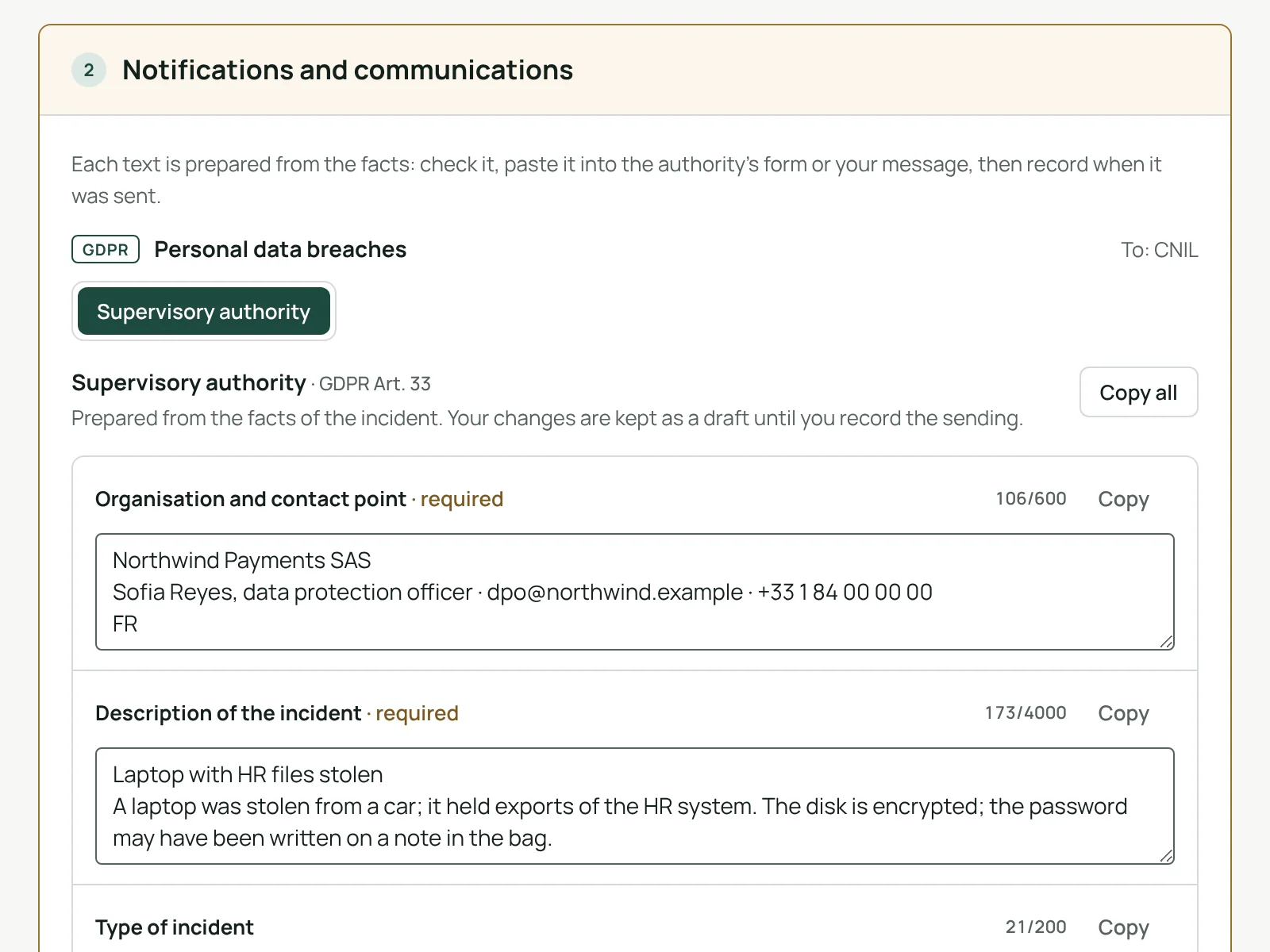
Texts ready to paste, each submission recorded.
For each notification, the app prepares the text from the facts of the incident, field by field, with what is required and the length limits. Copy one field or all of them into the authority’s form, then record when it was sent and its reference: the exact text and its fingerprint are kept. When a notification is late, the app asks for the reasons.
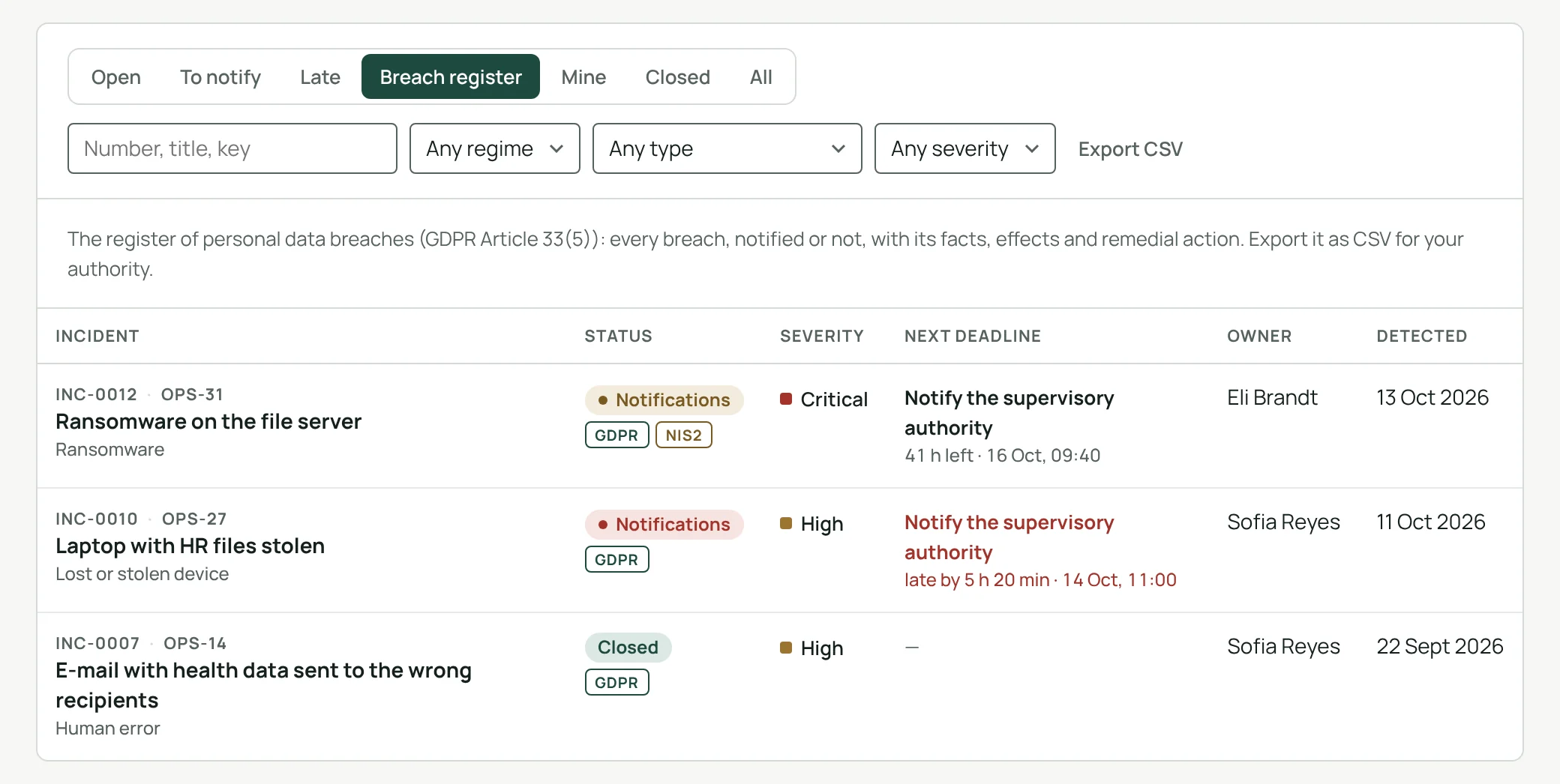
Every personal data breach on record.
Article 33(5) of the GDPR asks you to document every personal data breach, including the ones you did not notify. The breach register lists them with their facts, effects and the action taken, ready to export as CSV for your authority.
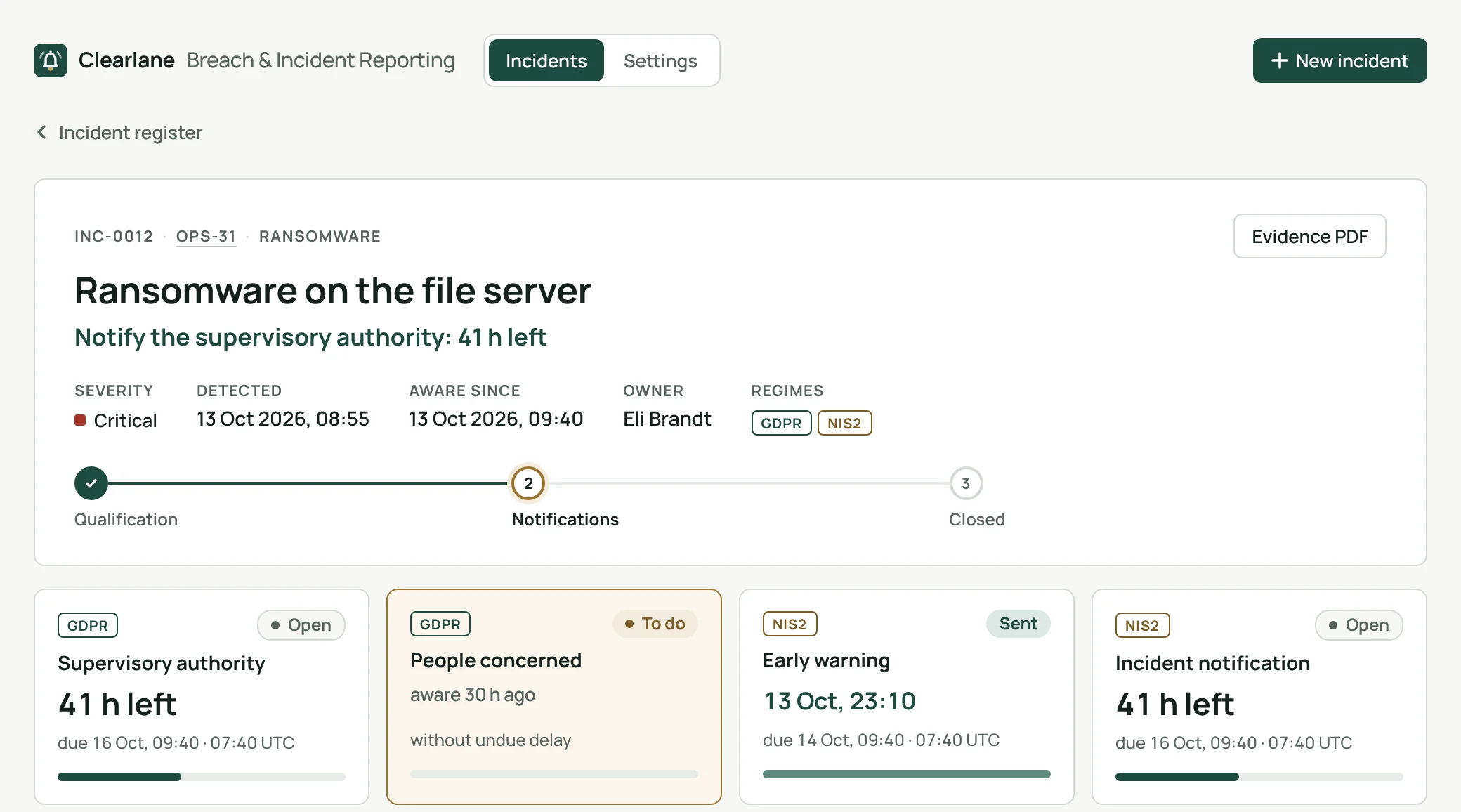
Three regimes, one incident.
GDPR
Personal data breach: notification to the supervisory authority within 72 hours, communication to the people concerned, and the Article 34(3) exceptions recorded.
NIS2
Significant incident: early warning within 24 hours, incident notification within 72 hours, final report within one month, and the recipients of your services informed.
DORA
Major ICT-related incident: classification criteria with a calculated suggestion, then the initial notification, the intermediate and final reports, and your clients informed.
An evidence file your auditor can read without you.
The response team signs the qualification and the closure with a personal signing password. The PDF evidence file gathers the facts, the signed decisions, each text sent with its date and reference, and the audit trail, and is attached to the work item in one click.
Electronic signature
Name, date, meaning, signing password and SHA-256 fingerprint.
A register for the site
Late, due within 24 hours, to notify, to qualify, with CSV export.
One reminder a day
Each owner gets one e-mail from Jira listing what needs their attention.
Searchable in Jira
incNextDue, incOverdue, incRegime and more, in JQL.
Clearlane Breach & Incident Reporting helps you meet the notification requirements of the GDPR (Articles 33 and 34), NIS2 (Directive (EU) 2022/2555, Article 23) and DORA (Regulation (EU) 2022/2554, Article 19). It submits nothing on your behalf. National forms, such as those of the CNIL or the BSI, are not included, and your own legal assessment still applies.
From the work item to the final report.
- Open the incident panelon any Jira or Jira Service Management work item, or create the incident from the register.
- Qualify and signThe clocks start from the moment you became aware.
- Notify, record, closePaste each text, record when it was sent, and close with a signature.
Permissions and data
The app runs on Atlassian Forge (Runs on Atlassian). You see an incident only if you can see its work item. Work items for new incidents are created, and the PDF evidence file attached, with the permissions of the person who asks.
Incidents, qualifications, the texts prepared and the submissions recorded, the audit trail, settings, Atlassian account IDs and the names shown at signing are kept in Atlassian’s storage for your site; signing passwords only as a salted hash. Reminders are a daily e-mail sent by Jira to each owner. Nothing is sent to any authority, to our servers or to anyone else.
Questions, answered.
- Where do I find it?
- In Jira’s apps menu for the register, and in the incident panel of any work item, Jira Service Management requests included.
- Who qualifies and closes an incident?
- The response team: the people and groups a Jira administrator names in the settings. Jira administrators are always part of it.
- Does it file the notification for me?
- No. Authorities use their own online forms: the app prepares the text for you to paste and records what you sent. National forms, such as those of the CNIL or the BSI, are not included.
- Which languages?
- The app follows each person’s Jira language, in English, French or German. Notification texts, reminder e-mails and signatures use the language chosen for the site.
Clearlane for Quality
Clearlane for Quality: controlled documents, read confirmations, corrective actions, test evidence, CRA reporting and breach notifications in Jira and Confluence — signed, traceable and kept in Atlassian.
From $10 a month for up to 10 users.
Larger teams pay per user, billed by Atlassian on the Marketplace. Every plan starts with a free trial. No setup, nothing to install outside your Atlassian site.