Is work piling up in progress?
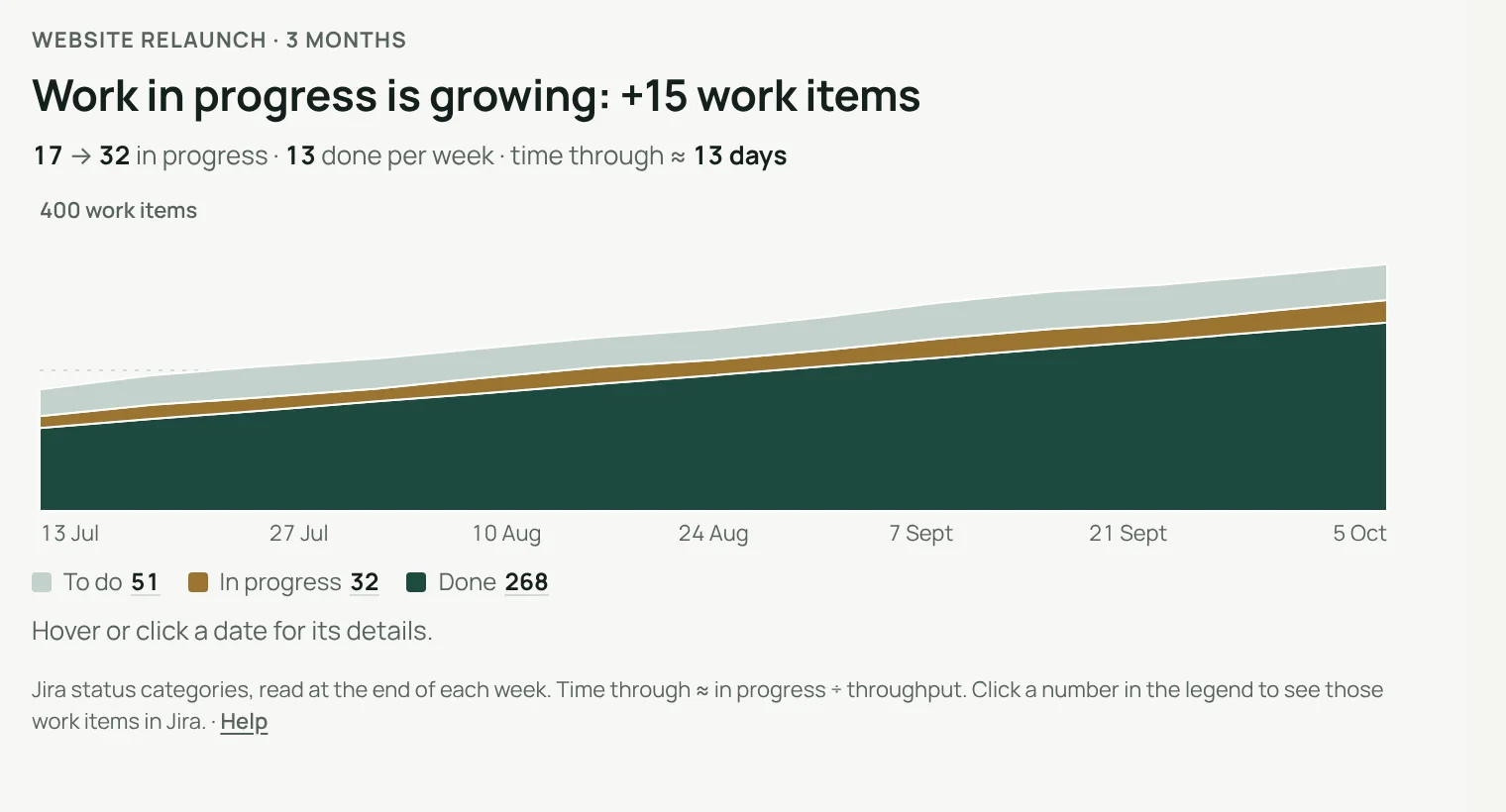
A cumulative flow diagram for your Jira dashboard. Pick a project or a saved filter: the gadget stacks to do, in progress and done over time, and says in one sentence whether work in progress is growing.
Only what is still open, if you prefer.
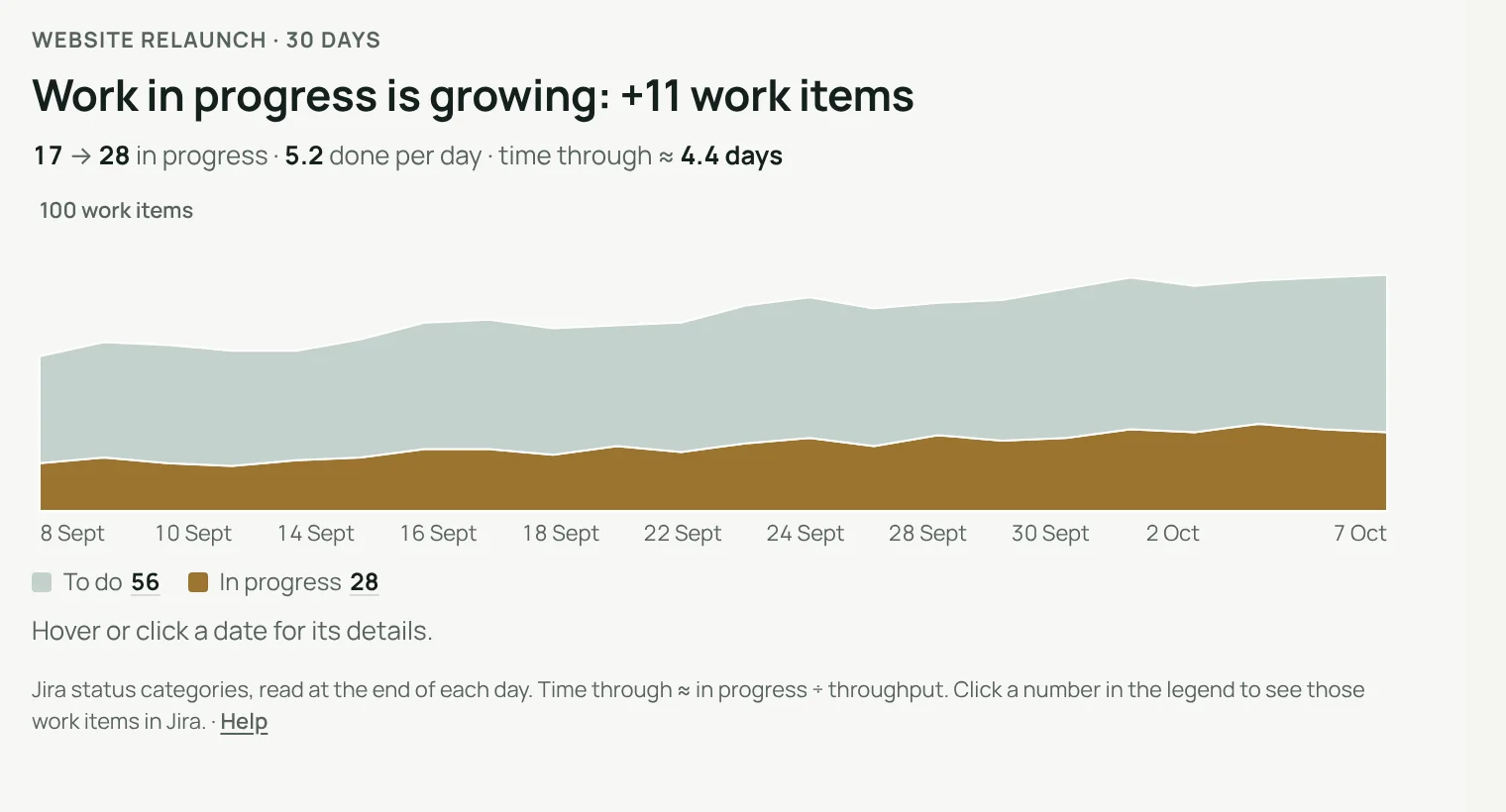
Show the three bands, or leave done work out to see to do and in progress at full height. Over 30 days, weekends can be hidden.
- Bands follow Jira’s status categories: to do, in progress, done
- 30 days per day, 3 or 6 months per week, 12 months per month
Every number can be checked.
Click a date
See how many work items were to do, in progress and done.
Open them in Jira
Each number in the legend opens those exact work items.
Time through
Work in progress divided by throughput: about how long work takes.
Set up in one screen.
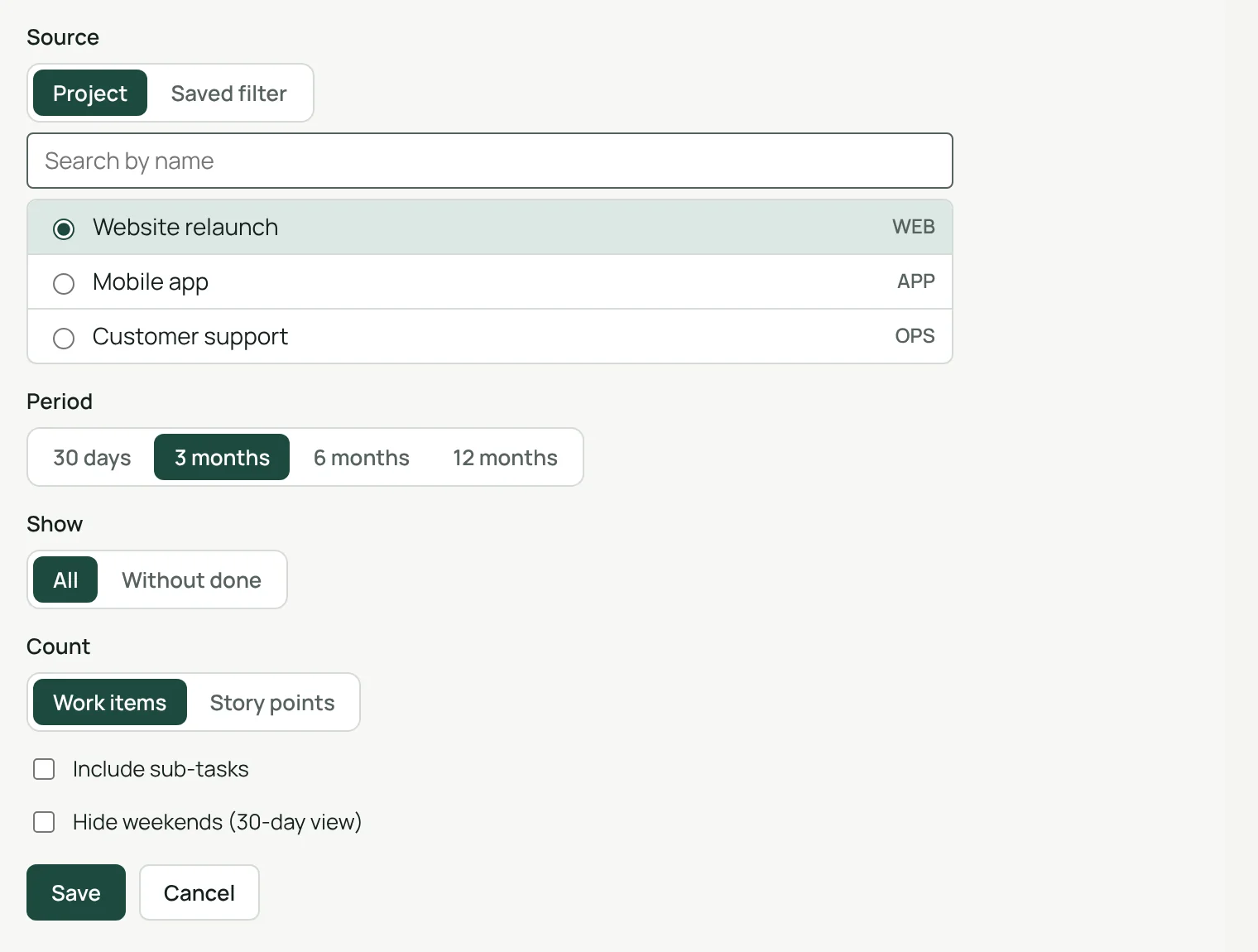
A project or a saved filter, a period, all work or open work only, work items or story points, sub-tasks and weekends if you want them.
- Each person sees only the projects and filters they can open
- Settings are kept by Jira, with the gadget
See the flow, not just today’s board.
A board shows where work is now. A cumulative flow diagram shows whether work in progress grows or holds steady, week after week.
Light and dark
Follows Jira’s theme.
English, French, German
Follows each person’s Jira language.
A one-hour cache
To spare Jira, the counts it has just shown are kept one hour at most.
Runs on Atlassian
Nothing leaves your Atlassian site.
Three steps.
- Add the gadgetto any Jira dashboard.
- Pick a source and a perioda project or a saved filter, from 30 days to 12 months.
- Read the answeris work in progress growing, in one sentence.
Permissions and data
The gadget reads Jira with the permissions of the person viewing the dashboard: nobody sees a project or filter they cannot open. Its settings are kept by Jira with the gadget. To spare Jira, it keeps the counts per status it has just shown for one hour at most, in Atlassian’s storage for your site, with no account ID and no work item content. Nothing is sent outside your Atlassian site.
Questions, answered.
- Where do I find it?
- Edit a Jira dashboard, choose Add gadget and pick Cumulative Flow.
- What do the bands mean?
- Jira’s three status categories: to do, in progress and done, read at the end of each day, week or month.
- What is time through?
- Work in progress divided by throughput. It tells you, roughly, how many days a work item spends between started and done.
- Can it count story points?
- Yes. Choose story points in the settings; work items are counted otherwise.
- Does it work in French?
- Yes. The gadget follows each person’s Jira language, in English, French or German, in light and dark themes.
Clearlane dashboard gadgets
Three charts for any Jira dashboard, each with its answer in one sentence. Every number opens its work items in Jira.
All Clearlane dashboard gadgetsFree for up to 10 users.
Larger teams pay per user, billed by Atlassian on the Marketplace. No setup, nothing to install outside your Atlassian site.