Test management in Jira that stays fast and simple.
Write test cases, run them step by step, and see which requirements are really tested. A failed step becomes a Jira bug in one click, and each campaign can end with signed evidence and a PDF report.
- IEC 62304
- ISO 13485 §7.3.6
- FDA 21 CFR Part 11
Designed to help teams keep verification records with electronic signatures. Your own validation still applies.

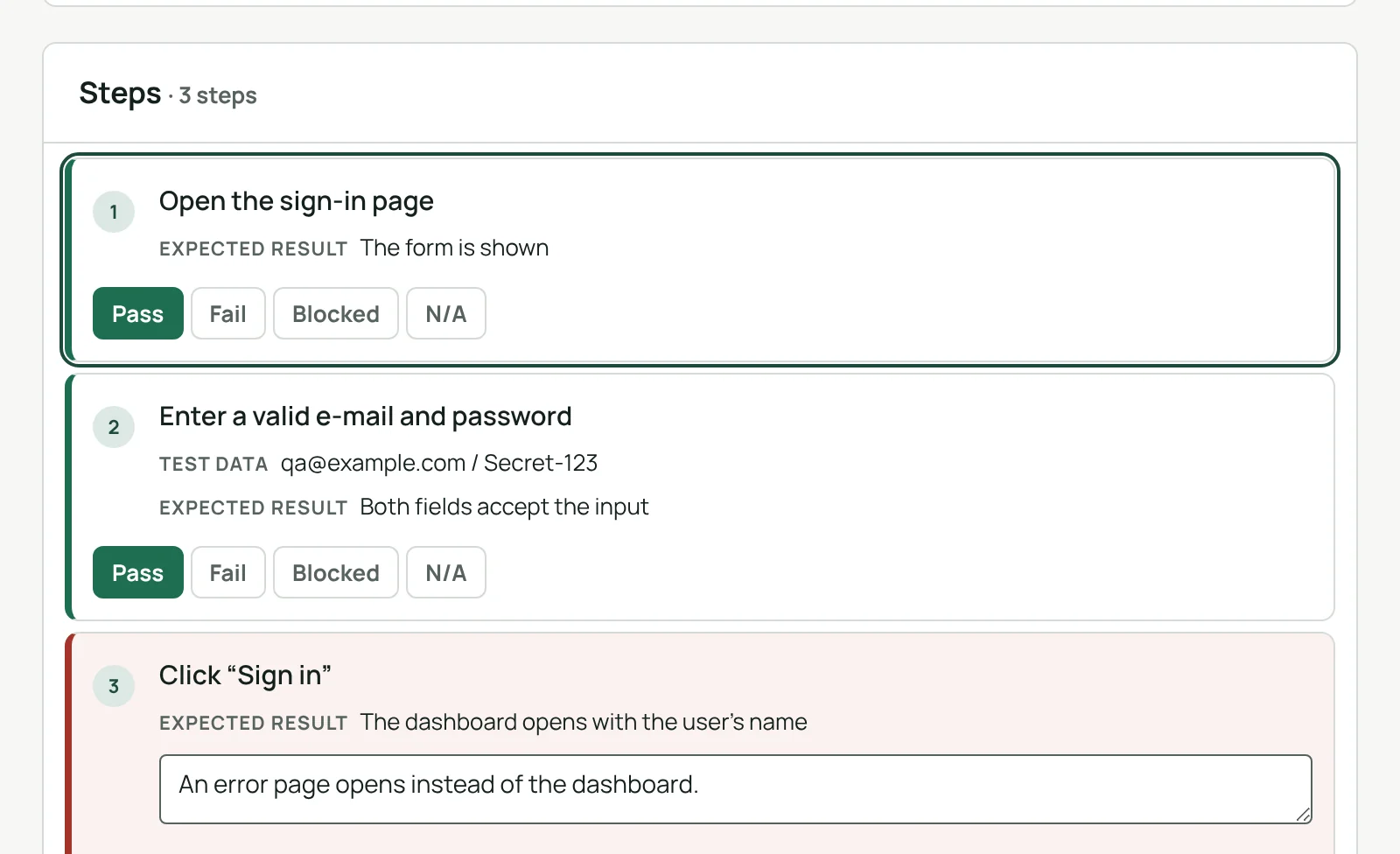
Run tests step by step.
Mark each step passed, failed, blocked or not applicable, even from the keyboard, with a comment and screenshots. The run keeps a snapshot of the exact version of the test case that was executed.
- A failed step becomes a Jira bug in one click, steps to reproduce included
- The bug is linked to the requirements the test covers
See what is really tested.
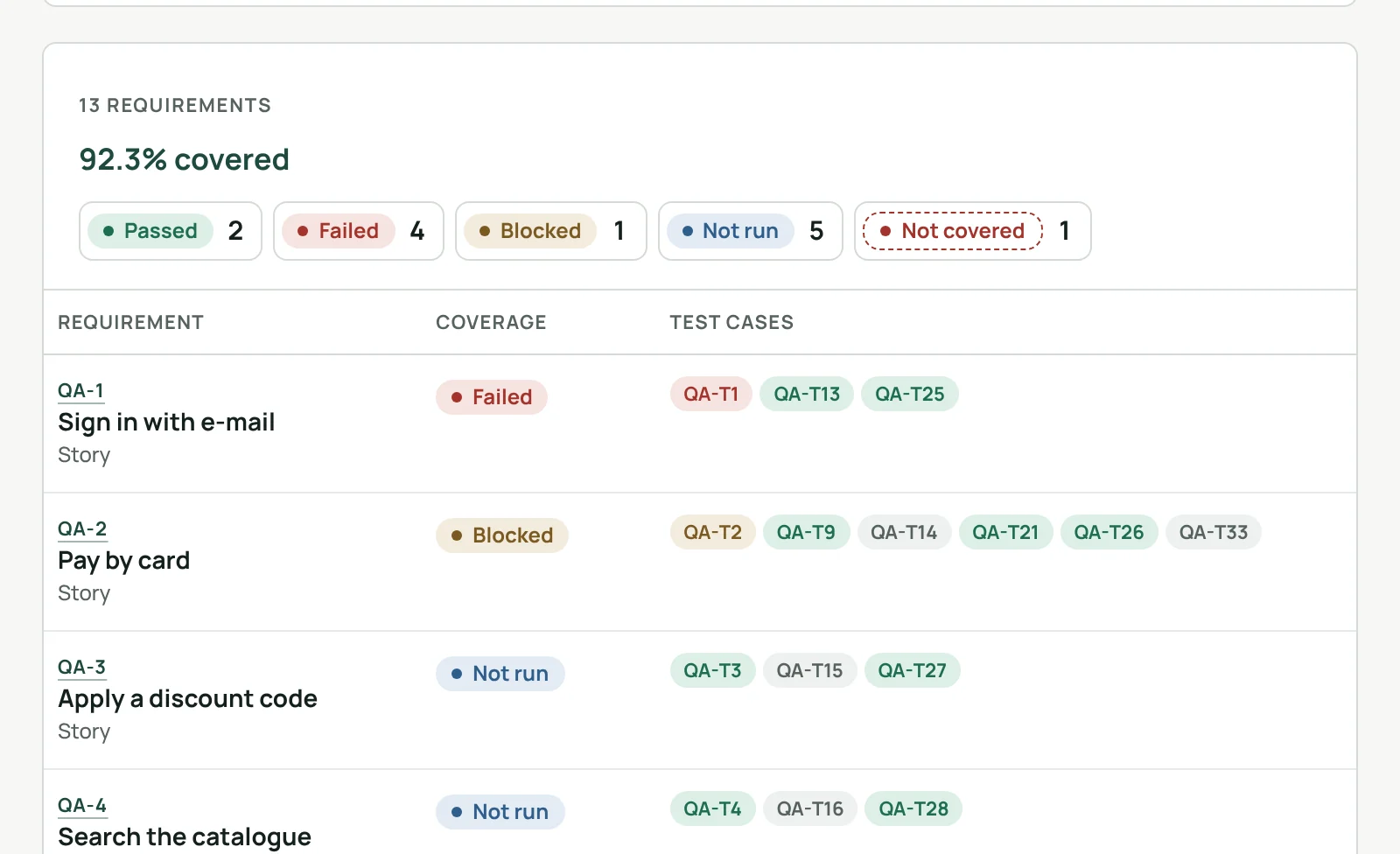
Choose which Jira work items are your requirements: stories, epics or any type, in one project. Each one shows the test cases that cover it and their latest result: not covered, not run, failed or passed.
- Coverage by latest result, or for one campaign
- testCoverage and testCount work in JQL, filters and dashboards
Test cases, ready in five minutes.
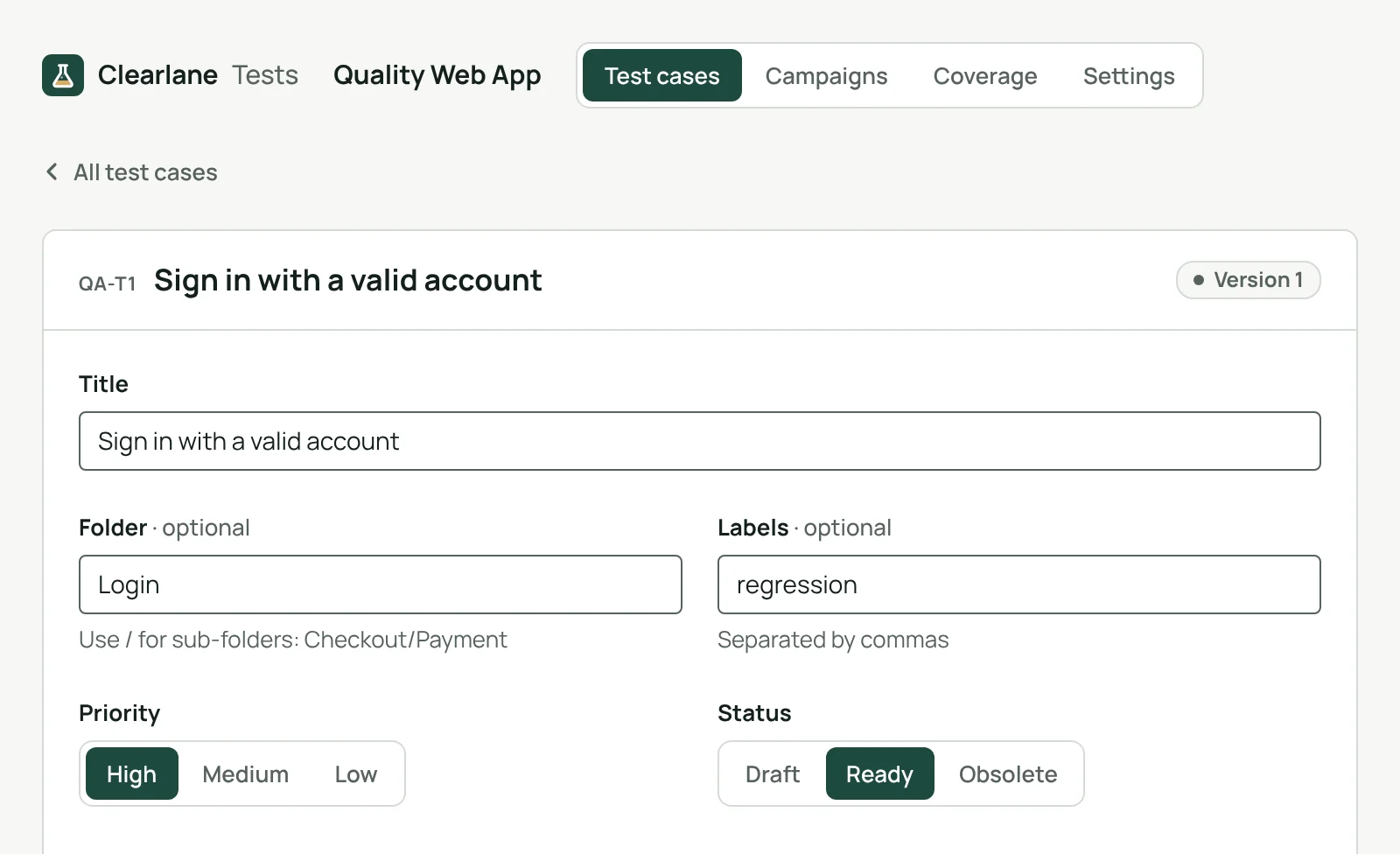
Steps, test data, expected results and preconditions, in folders, with labels and a priority. Every change makes a new version, and each case is linked to the stories it covers. Nothing to configure in Jira first.
Bring your tests with you.
Import
CSV exports from Xray, Zephyr Scale, Zephyr Squad and TestRail: columns recognised, multi-line steps, requirements by key.
Export
Test cases and results to CSV, whenever you want.
Campaigns
One per version or sprint: pick the cases, assign them, follow who runs what.
Test evidence your auditor can follow.
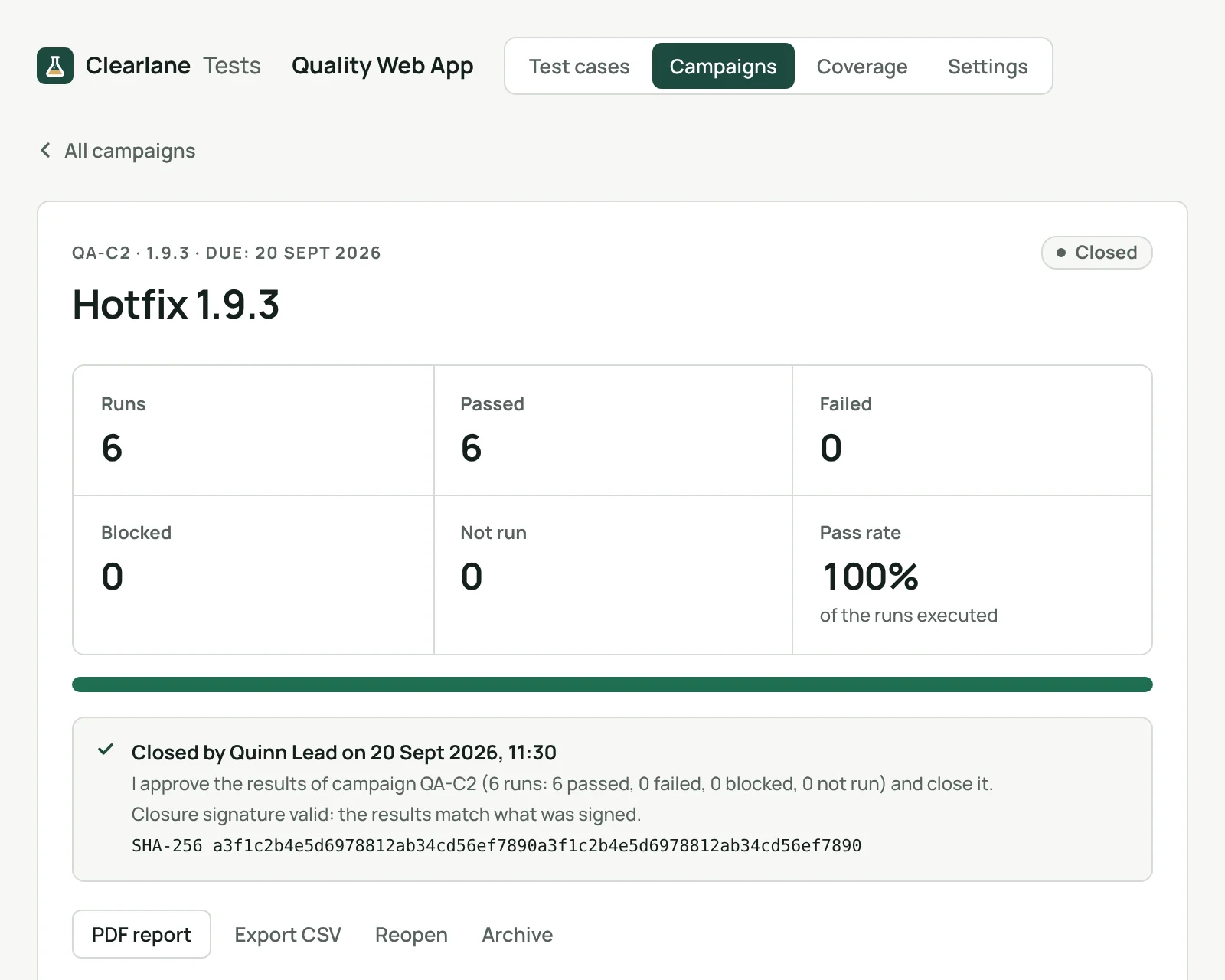
Each project chooses its level of proof: no signature, a signature at the end of a campaign, or one for every run. Closing a campaign seals it with a fingerprint, and the PDF report holds the summary, the coverage, every result, the failures in detail, the signatures and the full history.
Electronic signature
Name, date, meaning and a personal signing password.
Sealed at closure
A SHA-256 fingerprint of the campaign, checked again on screen.
A PDF report
Summary, coverage, results, signatures and history.
Evidence in Jira
Attach the report and screenshots to a Jira work item of your choice.
Clearlane Tests is designed to help teams keep verification records, for example under IEC 62304, ISO 13485 §7.3.6 or FDA 21 CFR Part 11. It makes no claim of certification, and validating it for your own intended use remains your responsibility.
From the story to the signed report.
- Write or import your test casesand link them to the stories they cover.
- Plan a campaignfor a version or a sprint, and assign the cases.
- Run, sign and closeEach tester gets at most one reminder e-mail a day from Jira.
Permissions and data
The app runs on Atlassian Forge (Runs on Atlassian) and follows your Jira permissions: people who can browse a project see its tests, people who can edit its work items write and run them, project administrators manage the settings. Requirements are shown only to people who can see them.
Test cases, campaigns, runs and results, comments, the history, settings, Atlassian account IDs and the names shown at signing are kept in Atlassian’s storage for your site; signing passwords only as a salted hash. Bugs and evidence attachments are created in Jira with the permissions of the person who asks. Reminders are an e-mail sent by Jira, at most one a day per person. Nothing is sent to our servers or to anyone else.
Questions, answered.
- Where do I find it?
- In each Jira project, under Tests; in Jira’s apps menu for your runs across projects; and in the Tests panel of any work item, to see or add the test cases that cover it.
- Do test cases become Jira work items?
- No. Test cases, campaigns and runs are kept by the app, so there are no work item types or screens to set up. Your requirements and the bugs you raise stay ordinary Jira work items.
- Can I move from Xray or Zephyr?
- Yes. Export your test cases to CSV from Xray, Zephyr Scale, Zephyr Squad or TestRail and import the file: the app recognises their columns and links each case to its requirements by key.
- Does it work in French?
- Yes. The app follows each person’s Jira language, in English or French, in light and dark themes.
Free for up to 10 users.
Larger teams pay per user, billed by Atlassian on the Marketplace. No setup, nothing to install outside your Atlassian site.