How much does your team finish?
A throughput chart for your Jira dashboard, for Kanban and Scrum teams: work items or story points finished per day, week or month, the average, and the trend in one sentence.
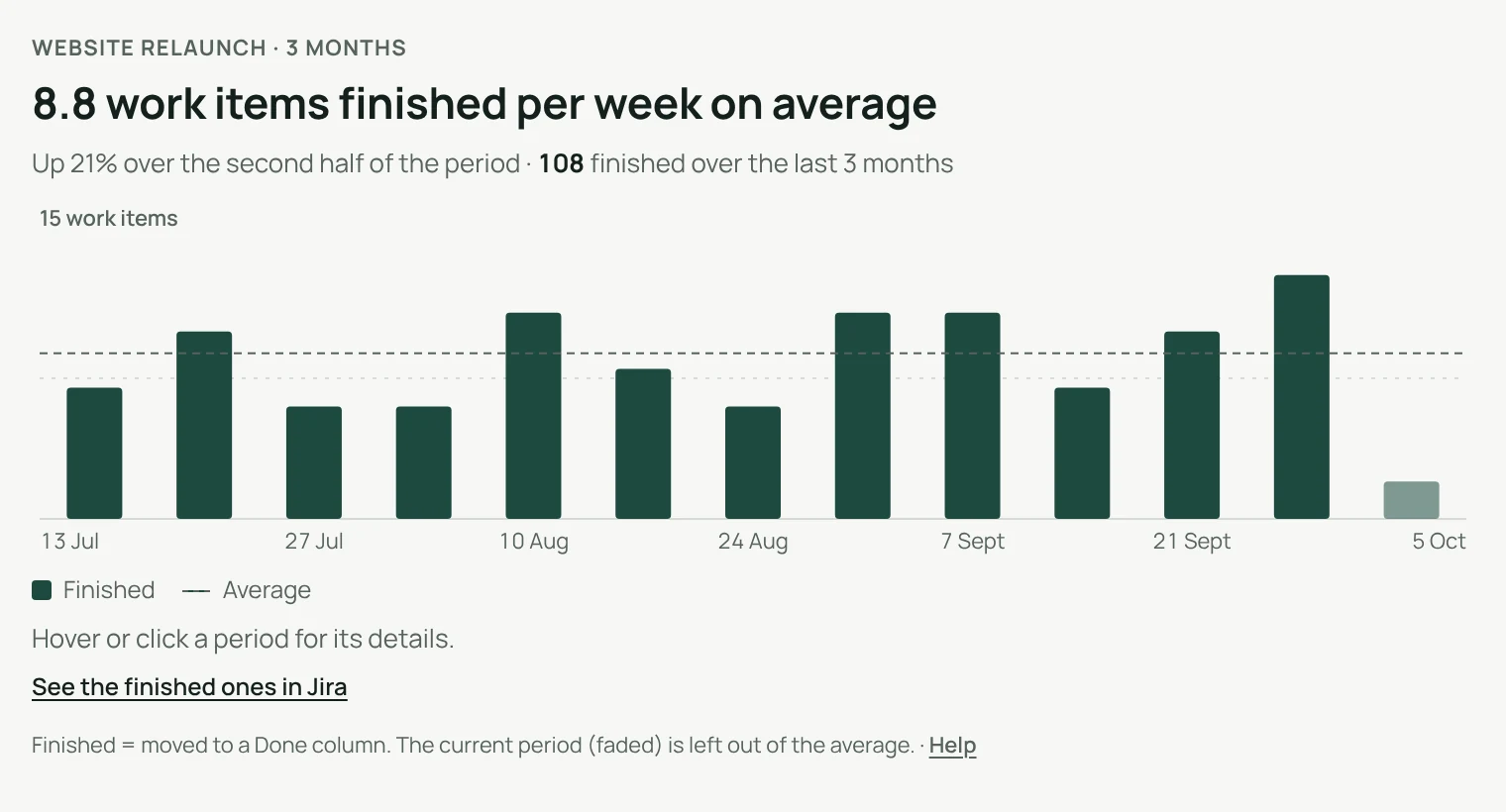
An average you can trust.
The current period is shown faded and left out of the average, so a week that has just started never looks like a drop.
- A dashed line shows the average
- One sentence says if the pace goes up or down
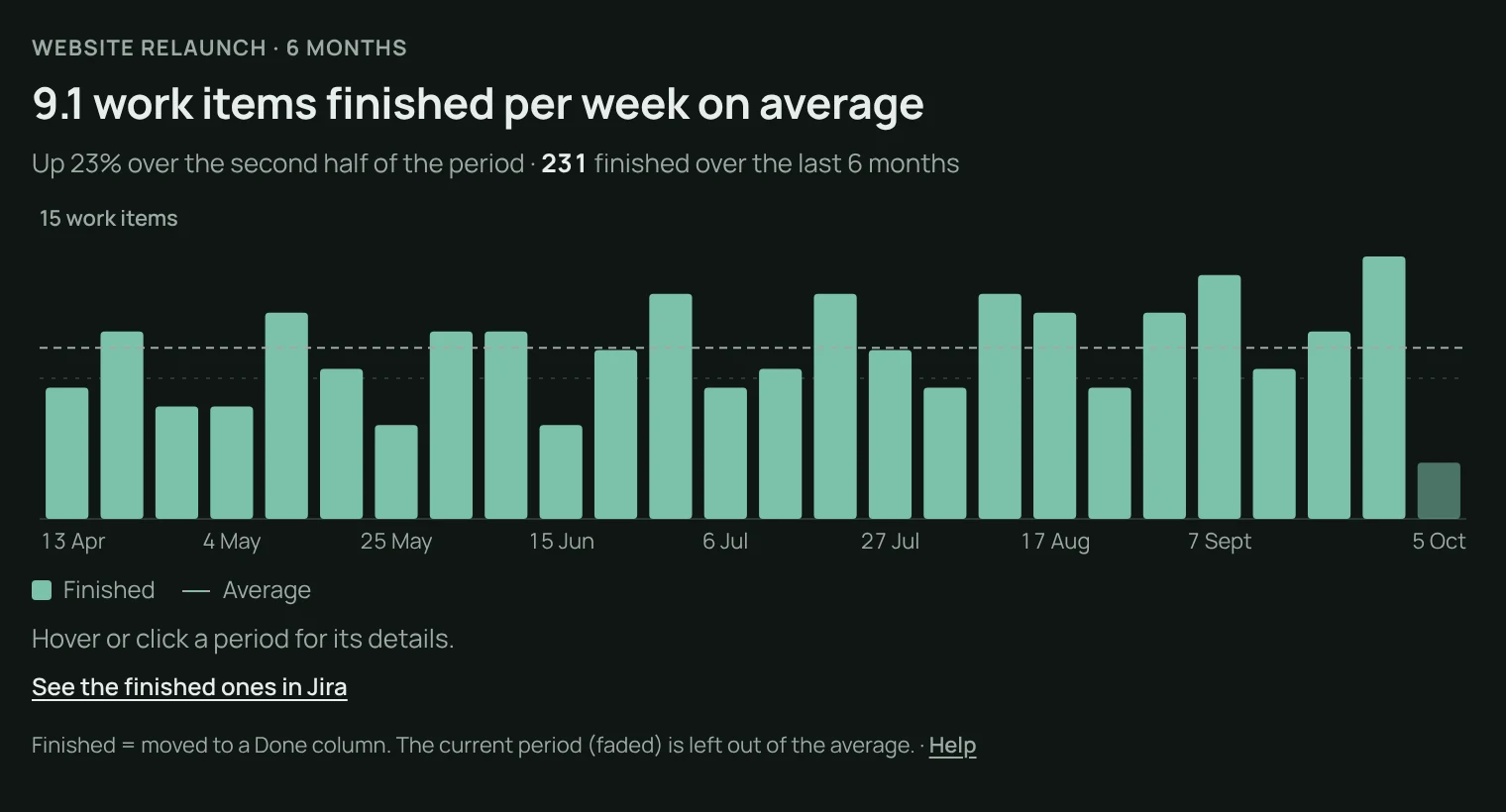
Every number can be checked.
Click a period
See what was finished.
Open it in Jira
The exact work items, with the same search.
Finished means done
Moved to a Done column, on the date it got there.
Work items or story points.
Count finished work items, or the story points behind them, over up to 12 months, with or without sub-tasks.
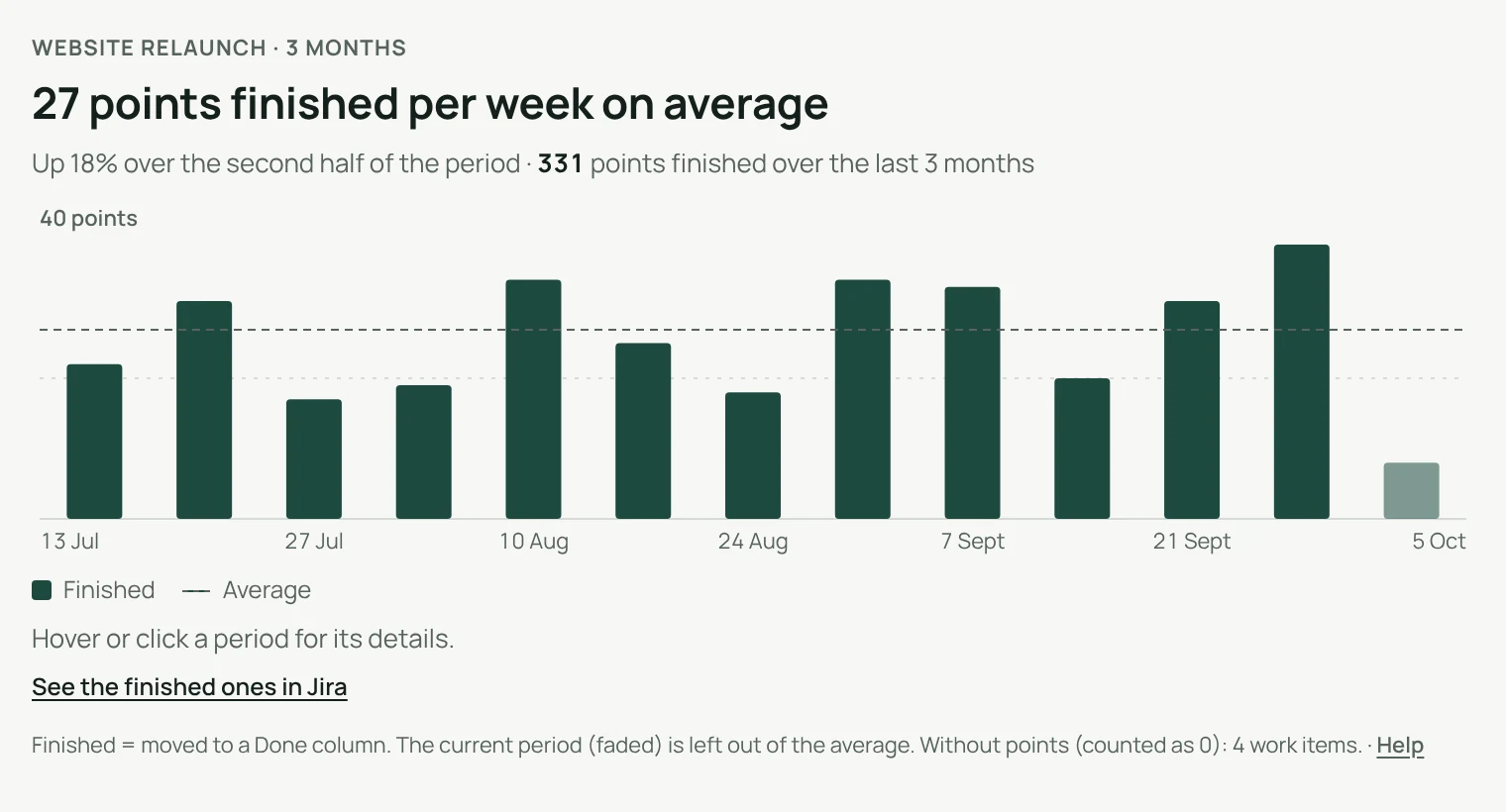
The pace of the team, on the dashboard.
Throughput counts what reaches a Done column, whatever the board or the method.
Light and dark
Follows Jira’s theme.
English and French
Follows each person’s Jira language.
Nothing stored
Settings stay with the gadget in Jira.
Runs on Atlassian
Nothing leaves your Atlassian site.
Three steps.
- Add the gadgetto any Jira dashboard.
- Pick a source and a perioda project or a saved filter, from 30 days to 12 months.
- Read the pacethe average and the trend, in one sentence.
Permissions and data
The gadget reads Jira with the permissions of the person viewing the dashboard: nobody sees a project or filter they cannot open. It stores nothing; its settings are kept by Jira with the gadget. Nothing is sent outside your Atlassian site.
Questions, answered.
- Where do I find it?
- Edit a Jira dashboard, choose Add gadget and pick Throughput.
- What counts as finished?
- A work item moved to a Done column, counted on the date it got there.
- Why is the current period left out of the average?
- It is still running. Counting it would make every new week look like a drop.
- Does it fit Scrum teams?
- Yes. It counts finished work per day, week or month, whatever the board or the sprint length.
- Does it work in French?
- Yes. The gadget follows each person’s Jira language, in English or French, in light and dark themes.
Free for up to 10 users.
Larger teams pay per user, billed by Atlassian on the Marketplace. No setup, nothing to install outside your Atlassian site.