Know what your Jira automation will cost, rule by rule.
From December 2026, Jira Cloud automation is measured in steps. Automation Steps & Cost reads an export of your rules and estimates how many steps each one will use a month, your share of the allowance, the extra cost, and what to change first.
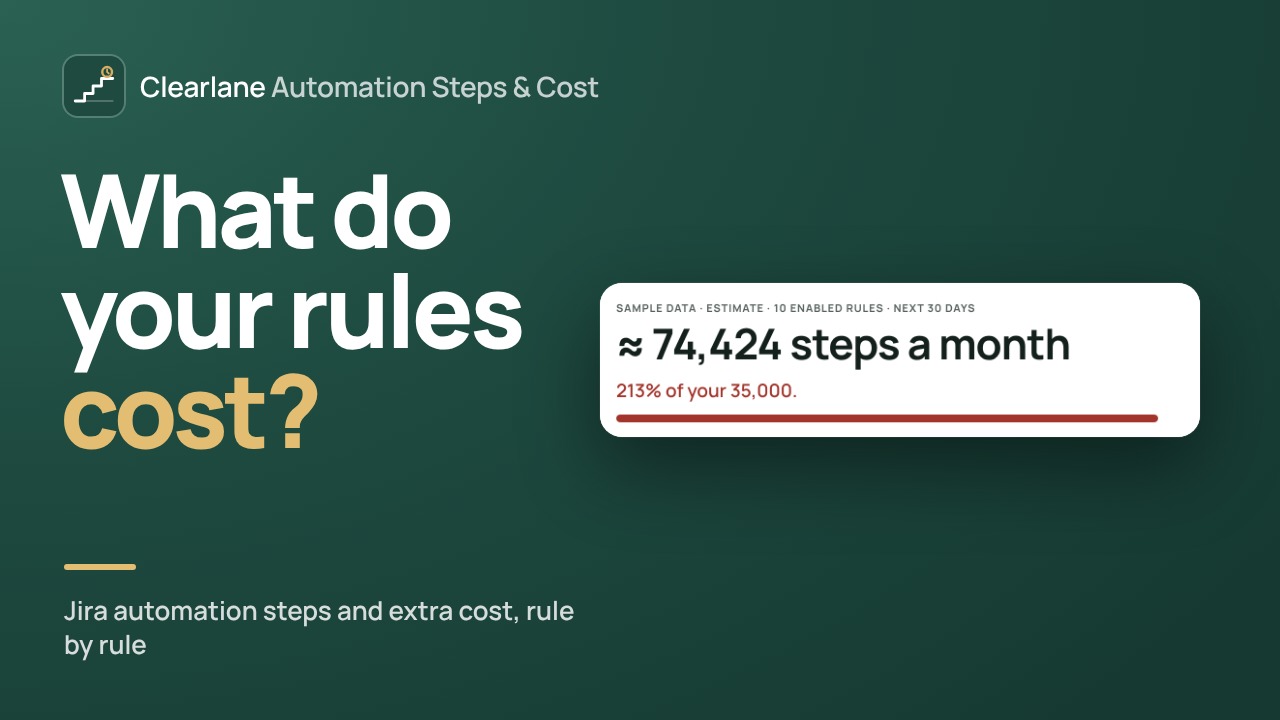
Steps counted the way Atlassian counts them.
A step is a trigger, condition, action, branch or loop turn that runs. For each rule, the app works out the steps of one run with Atlassian’s counting rules, then its runs over the last 30 days, from Jira search counts made as you. Scheduled rules are counted from their schedule.
- Branches and loops counted per item, if/else on the path that runs
- Free system actions, such as Log or Create variable, left out
- A run that performs no action uses no step
- Guesses marked approximate; you can type a rule’s runs from Global automation › Usage
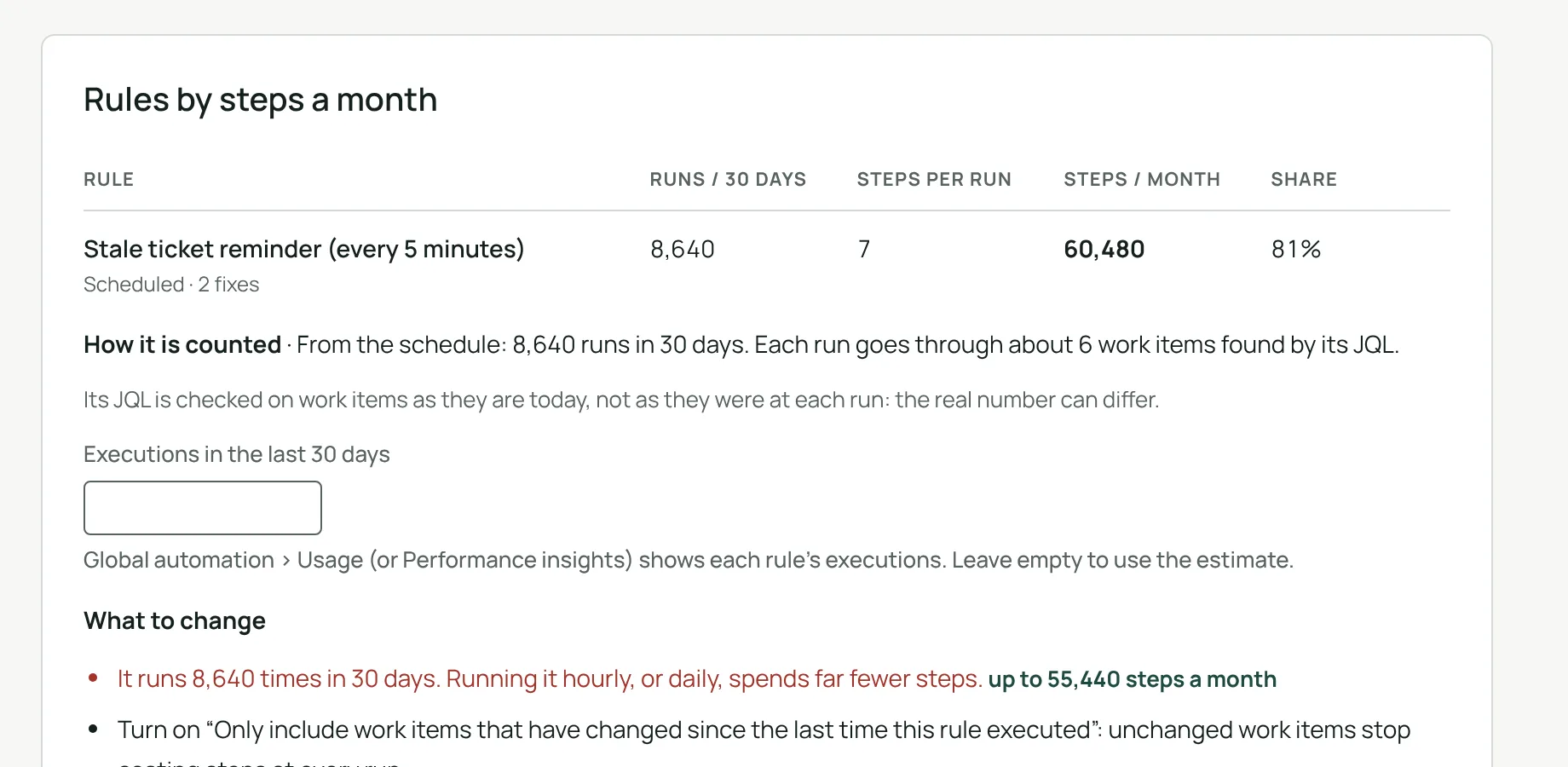
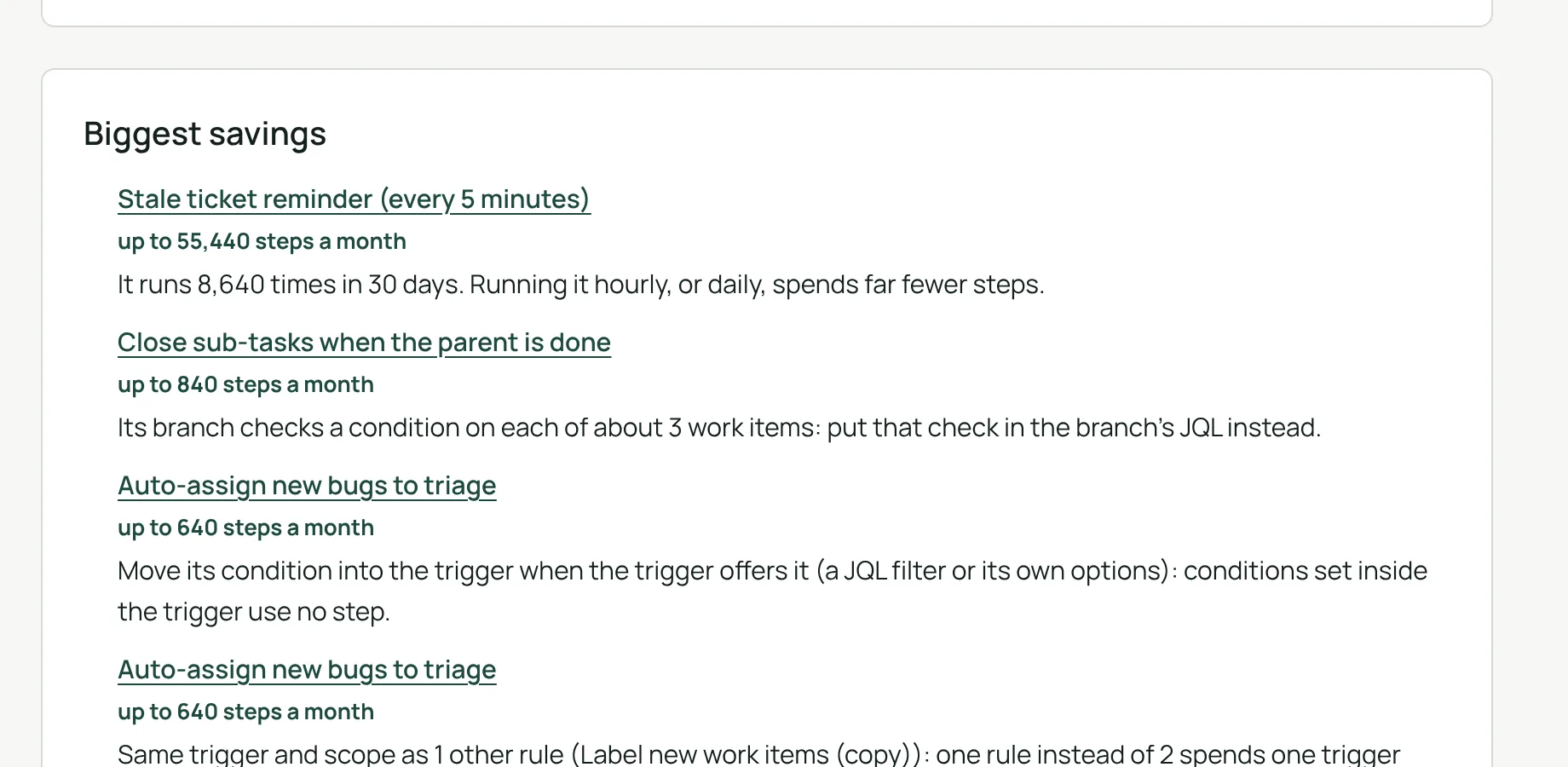
What to change, ranked by steps saved.
For each rule, the app names the changes that would spend fewer steps. The biggest savings come first, each with the steps it can save a month.
- Move a condition into the trigger, or slow a schedule
- Process only recently updated work items, or narrow a branch whose condition or JQL is too wide
- Merge twin rules; rule chains and triggers on any update pointed out
- Keys or passwords typed in plain text in web request headers flagged
Your plan, your allowance, your extra cost.
Add each product with its plan and users: Jira, Jira Service Management, Jira Product Discovery, Confluence or Teamwork Collection. Their allowances are added up into your organization’s pooled monthly allowance.
Steps per month
The total of your rules, and its share of the pooled allowance.
Extra cost
Extra steps cost $0.50 per 1,000. With extra usage off, the app shows the day your rules would stop, until the meter resets.
Steps used elsewhere
An optional field for automation on other sites or in other apps.
Your bill comes from Atlassian’s meter.
The real meter is in Atlassian Administration › Usage › Meters › Automation steps. The app says how each number was found, and where it can be off.
Your projects
Runs are counted in the projects you can browse; the app says when some are hidden from you.
Guesses marked
Every rough estimate is marked approximate, and you can type a rule’s real runs.
Compared with last time
The last 12 analyses are kept as totals: date, number of steps and number of rules.
Nothing else kept
The rules file is read in your browser, never sent or kept.
Three steps, from an export of your rules.
- Open the appin Jira settings › Apps. Only Jira administrators can open it.
- Export your rulesfrom Global automation, then drop or paste the JSON file.
- Read the estimateSteps per rule and per month, the extra cost and what to change first.
Permissions and data
The app runs on Atlassian Forge (Runs on Atlassian) and makes no call outside Atlassian. The rules file is read in your browser: it is never sent or kept. To count runs, the app makes Jira searches as the person using it, and only numbers come back.
Its permissions: read Jira work (search counts, the project list and permissions, all read-only, as the person using it) and the app’s own storage. It keeps your plan and the last 12 analyses as totals only (date, number of steps, number of rules), in Atlassian’s storage for your site. Nothing else is stored.
Questions, answered.
- Where do I find it?
- In Jira settings › Apps. Only Jira administrators can open it.
- Is this my bill?
- No. It is an estimate from your rules and the last 30 days of activity in Jira. The real meter is in Atlassian Administration › Usage › Meters › Automation steps.
- What counts as a step?
- A trigger, condition, action, branch or loop turn that runs. Each product plan gives a monthly allowance, pooled at organization level, and extra steps cost $0.50 per 1,000. A run that performs no action uses no step.
- Why can some projects be missing?
- Runs are counted from Jira searches made as you, so only the projects you can browse are counted. The app says when some projects are hidden from you, and you can type a rule’s runs from Global automation › Usage.
- What does it keep?
- Your plan, and the last 12 analyses as totals only (date, number of steps, number of rules), to compare with the previous analysis. The rules file itself is never sent or kept.
- What does it cost?
- Nothing. Automation Steps & Cost is free for every site, with no user limit.
- Which languages?
- The app follows each person’s Jira language, in English, French or German, in light and dark themes.
Built and supported by Maxime Ragionieri, founder of Clearlane. Who’s behind Clearlane →
Free, for every site.
No paid plan and no user limit. Nothing to install outside your Atlassian site.