Planning poker inside Jira, with secret cards.
Estimate the backlog together without leaving Jira: everyone picks a card in secret, you reveal them at once, and the agreed story points are saved to the work item in one click. Live in a meeting, or at your team’s own pace.
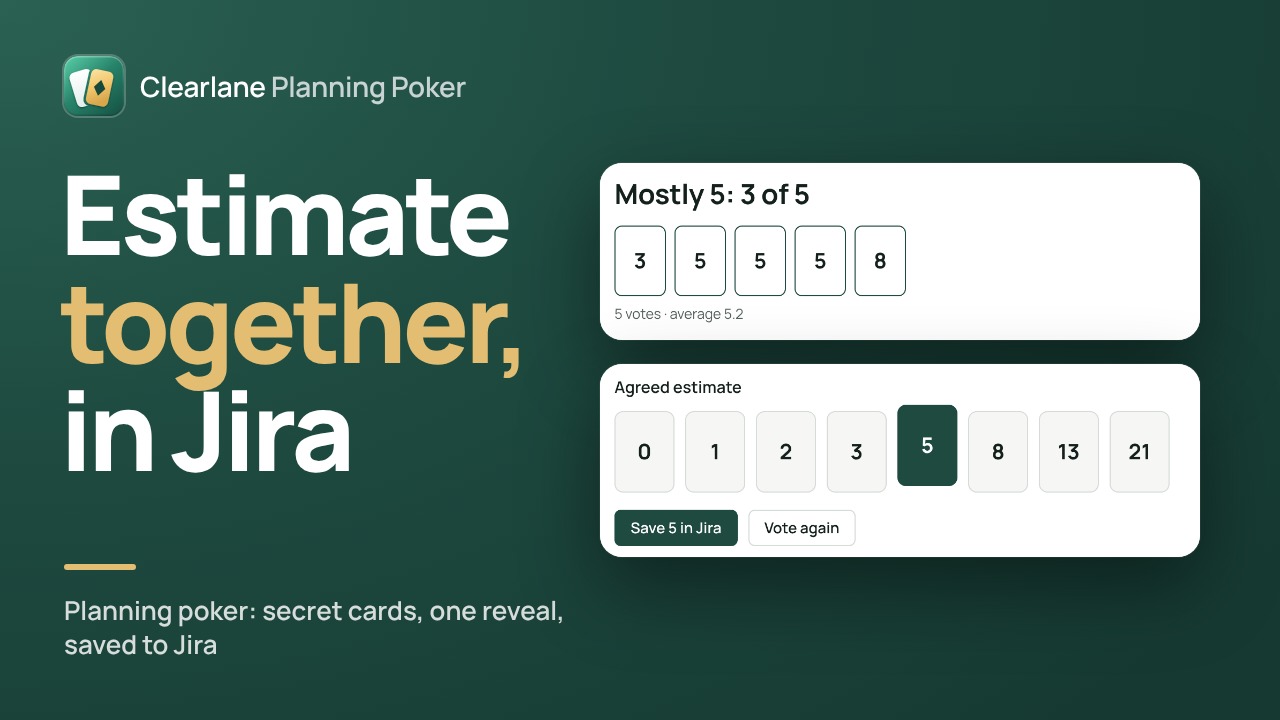
Secret cards, honest estimates.
Nobody sees a card before the reveal, so nobody anchors on the first number said out loud. When the cards turn over, Planning Poker says how close the team is: consensus, a close call, a clear majority, or a split worth talking about.
- Fibonacci, modified Fibonacci, T-shirt sizes, time, or your own deck
- A shared countdown of 30 seconds to 5 minutes
- The work item’s description next to the cards
- Keyboard: type a card’s number to play it, R to reveal
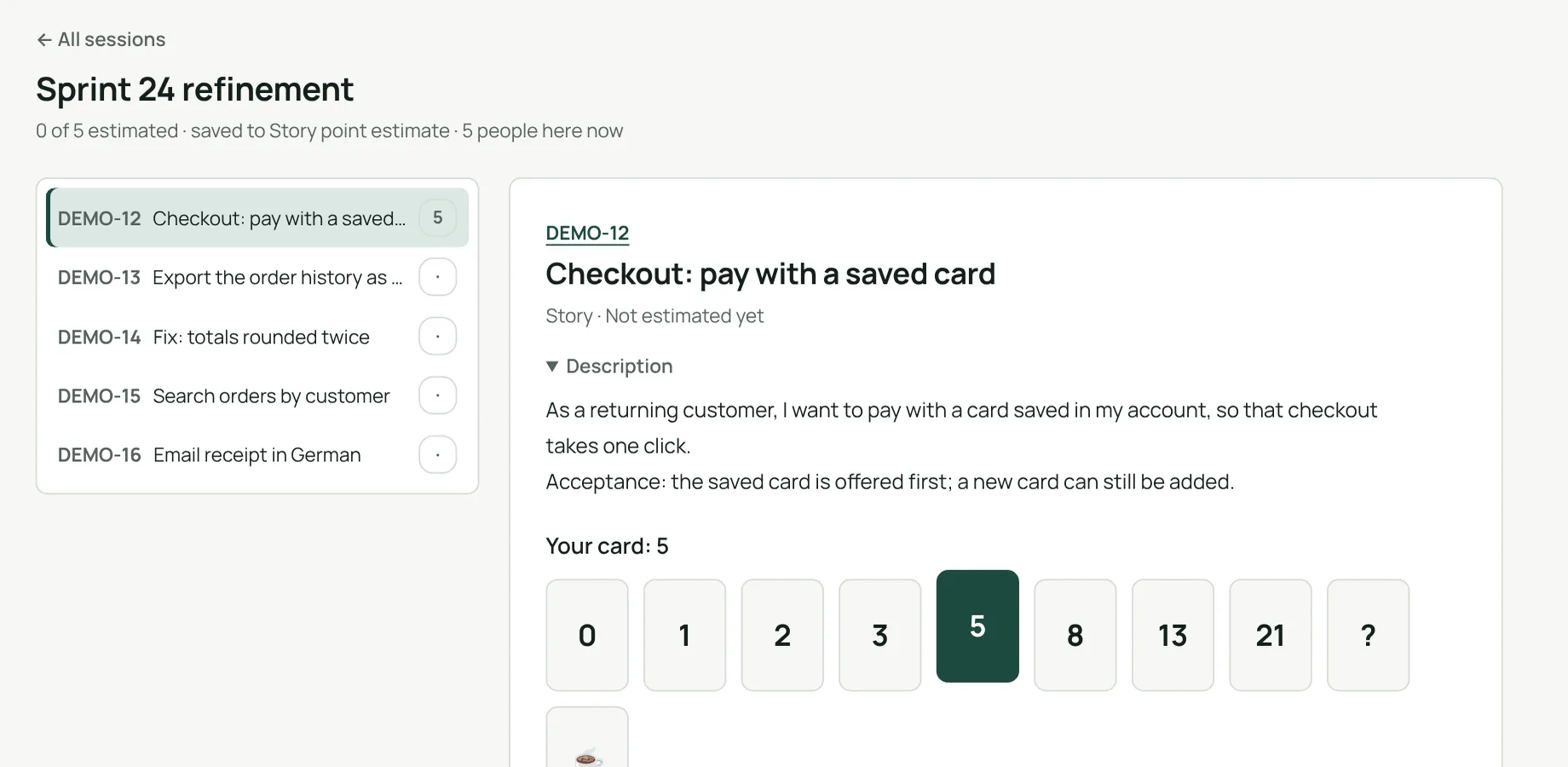
The agreed estimate goes straight into Jira.
Pick the agreed card and save it: it is written to Story Points, Story point estimate or the original estimate, with your own Jira permissions. The next unestimated work item comes up by itself, and the session keeps a running total.
- Sessions from the active sprint, the next sprint or the backlog
- Only work items without an estimate, if you want
- A summary of the estimates, ready to paste
- Up to 30 work items per session
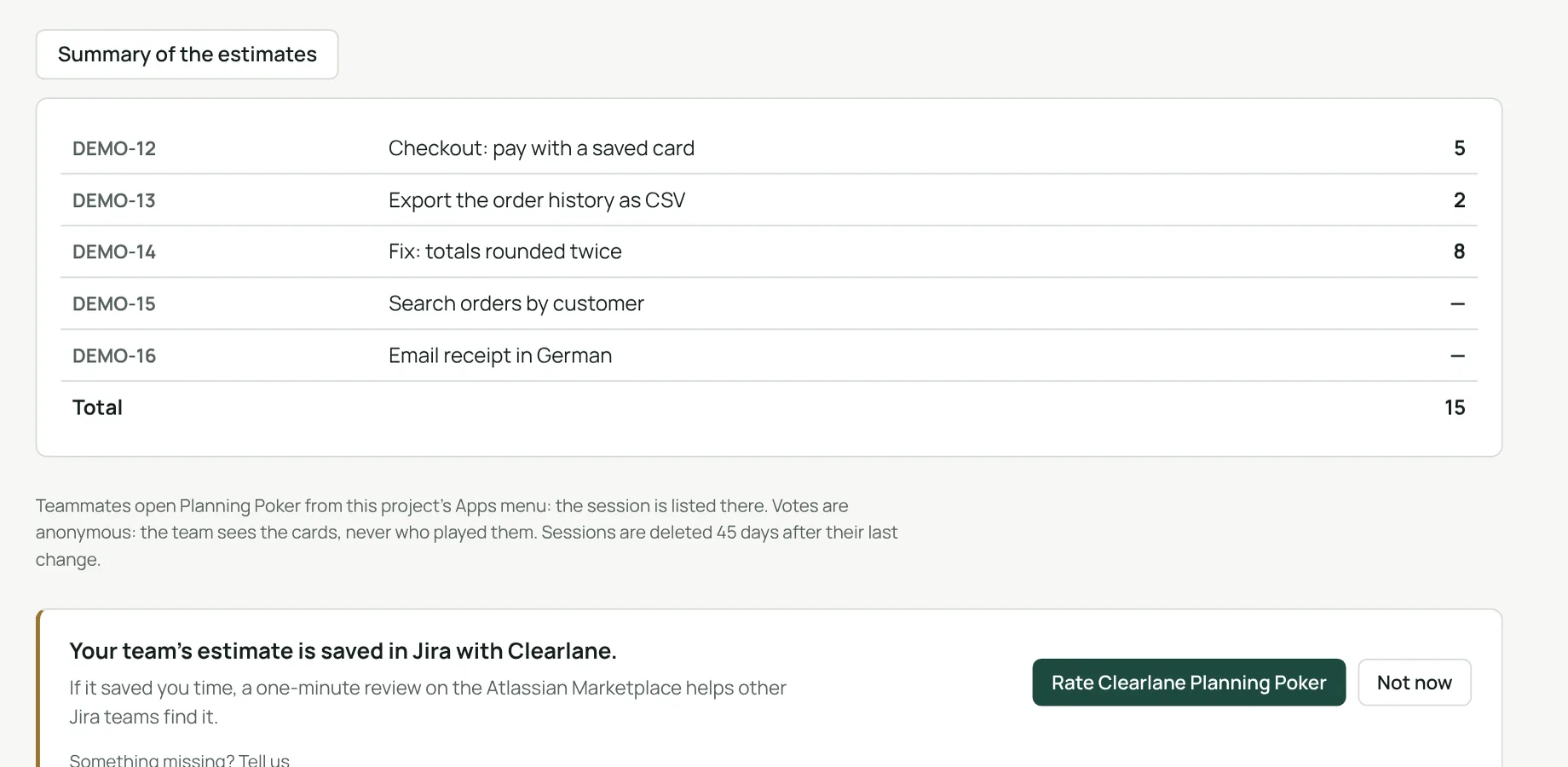
Live, async, or right in the work item.
Run a session for the whole sprint during the meeting, or set a date and let everyone vote when they can. For a single work item, open Planning Poker from its own panel in the issue view.
Anonymous by design
The team sees the cards, never who played them. No account id is kept.
Async with a date
Each person votes at their own pace; you reveal when the votes are in.
In the issue view
A quick round on the work item open, with the project’s cards.
Estimate, then forecast.
Story points only help if they lead to a date. Clearlane Forecast turns your team’s real pace into delivery dates with the odds.
Anonymous votes
No anchoring, no pressure: the cards speak first.
Your permissions
Only work items you can see; estimates written as you.
Nothing leaves Atlassian
Runs on Atlassian, no external server.
45 days
Sessions and votes are deleted 45 days after their last change.
Three steps, the first session in under two minutes.
- Open Planning Pokerfrom the Apps menu of your Jira project.
- Start a sessionwith the work items of the sprint or the backlog, and your cards.
- Vote, reveal, savethe agreed estimate is written to the work item.
Permissions and data
The app runs on Atlassian Forge (Runs on Atlassian) and makes no call outside Atlassian. Work items are read, and estimates written, by the page with the permissions of the person using it.
Its permissions: read and edit Jira work items, and the app’s own storage. It keeps the sessions (name, cards, work item ids), the anonymous votes and the rounds, in Atlassian’s storage for your site, and deletes them 45 days after the session’s last change. No name, no email address, no account id.
Questions, answered.
- Where do I find it?
- In your Jira project, Apps menu › Planning Poker. In a work item, open Apps › Planning Poker for a quick round.
- Can people vote at different times?
- Yes. Set a “vote by” date if you like: everyone votes when they can, and anyone in the session reveals the cards when the votes are in.
- Why are votes anonymous?
- So nobody follows the most senior person in the room. The app does not ask Atlassian for people’s names, and keeps no account id: the team sees the cards, never who played them.
- Which fields can it save to?
- Story Points (company-managed projects), Story point estimate (team-managed projects), or the original estimate with the Time cards. T-shirt sizes are saved as 1, 2, 3, 5, 8 and 13 points.
- What if Jira refuses the value?
- Planning Poker says so: usually the estimate field is not on the work item’s screen, and a Jira admin can add it.
- What does it cost?
- It is free for up to 10 users. The current price for larger teams is on the Atlassian Marketplace listing.
- Which languages?
- The app follows each person’s Jira language, in English, French or German, in light and dark themes.
Built and supported by Maxime Ragionieri, founder of Clearlane. Who’s behind Clearlane →
Free for up to 10 users.
Larger teams pay per user, billed by Atlassian on the Marketplace. No setup, nothing to install outside your Atlassian site. See the price for your team size →