A risk register in Jira, with signed reviews
Each risk is a Jira work item in its project’s register. Rate it on a 5 × 5 risk map before and after treatment, treat it with linked Jira work items, and sign its periodic reviews. Seven templates: ISO 14971, FMEA, ISO 27001, NIS2 Article 21, CRA Article 13, DORA and a general one.
- ISO 14971
- IEC 60812 (FMEA)
- ISO/IEC 27001 6.1.2–6.1.3
- NIS2 Article 21
- CRA Article 13
- DORA Article 6
Designed to help with the risk assessment requirements of these standards and regulations. Your own assessment and the standards themselves still apply.
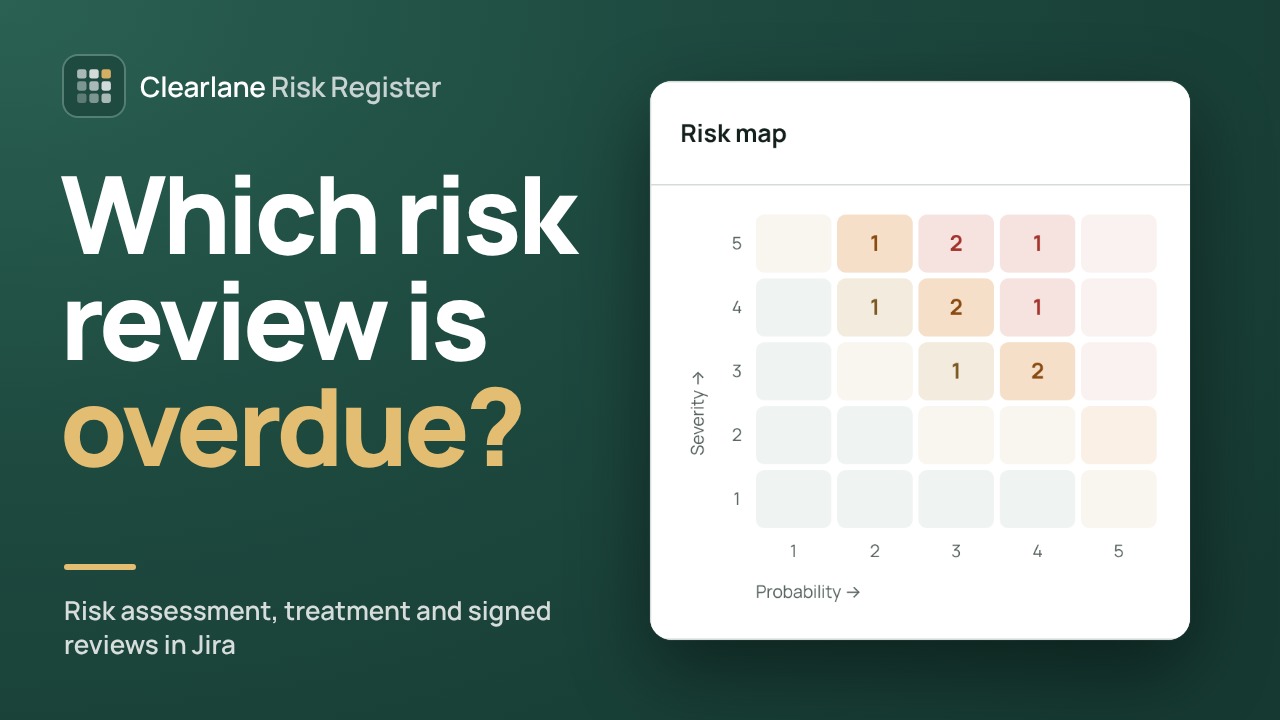
One sentence, one map.
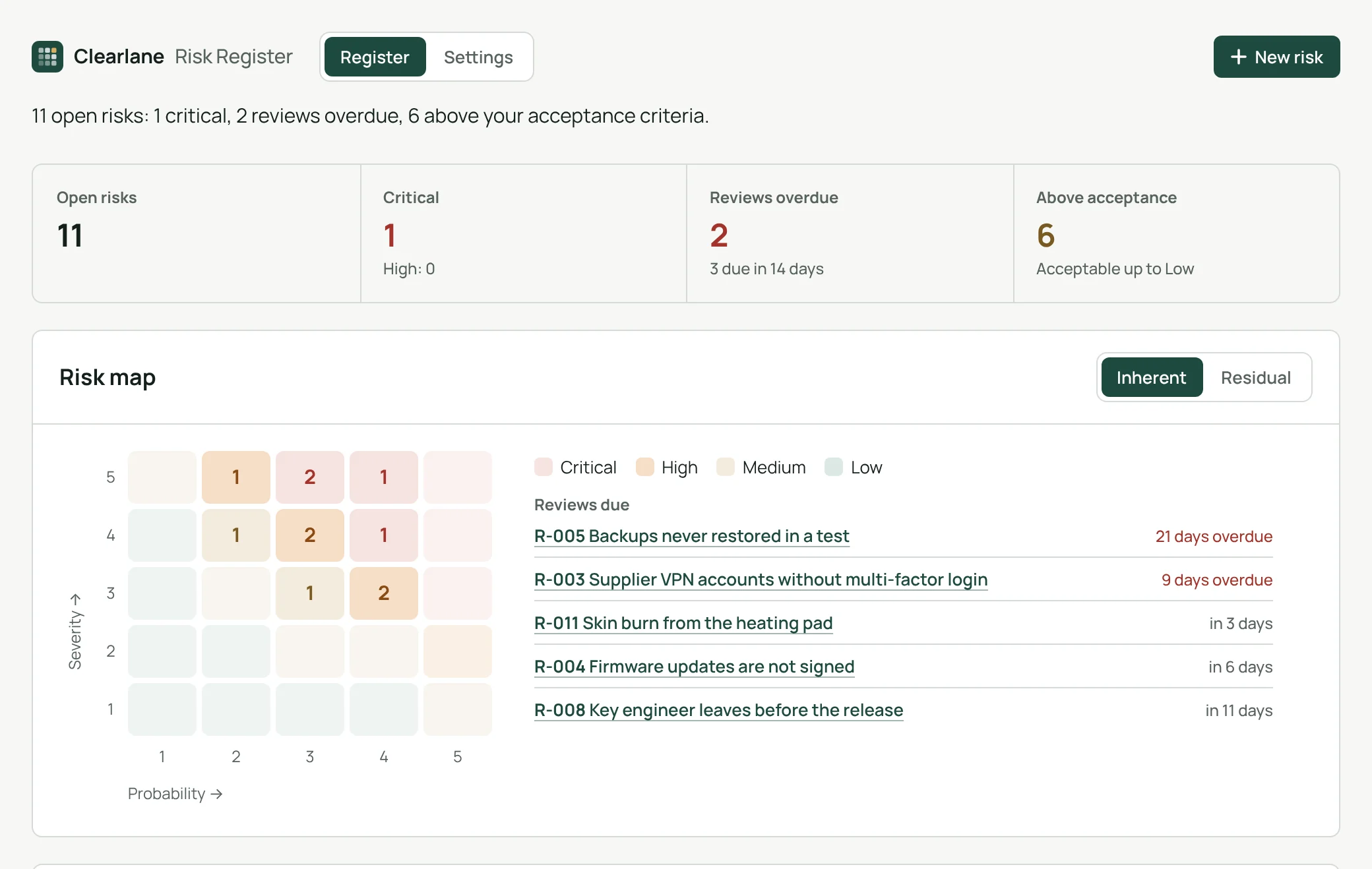
The register opens on one sentence: how many risks are open, critical, overdue for review or above your acceptance criteria. The 5 × 5 risk map shows inherent or residual risk; click a cell to filter the register.
- The next reviews due and the overdue ones, beside the map
- Search, filters by level, status and template, and “Mine only”
Inherent and residual risk.
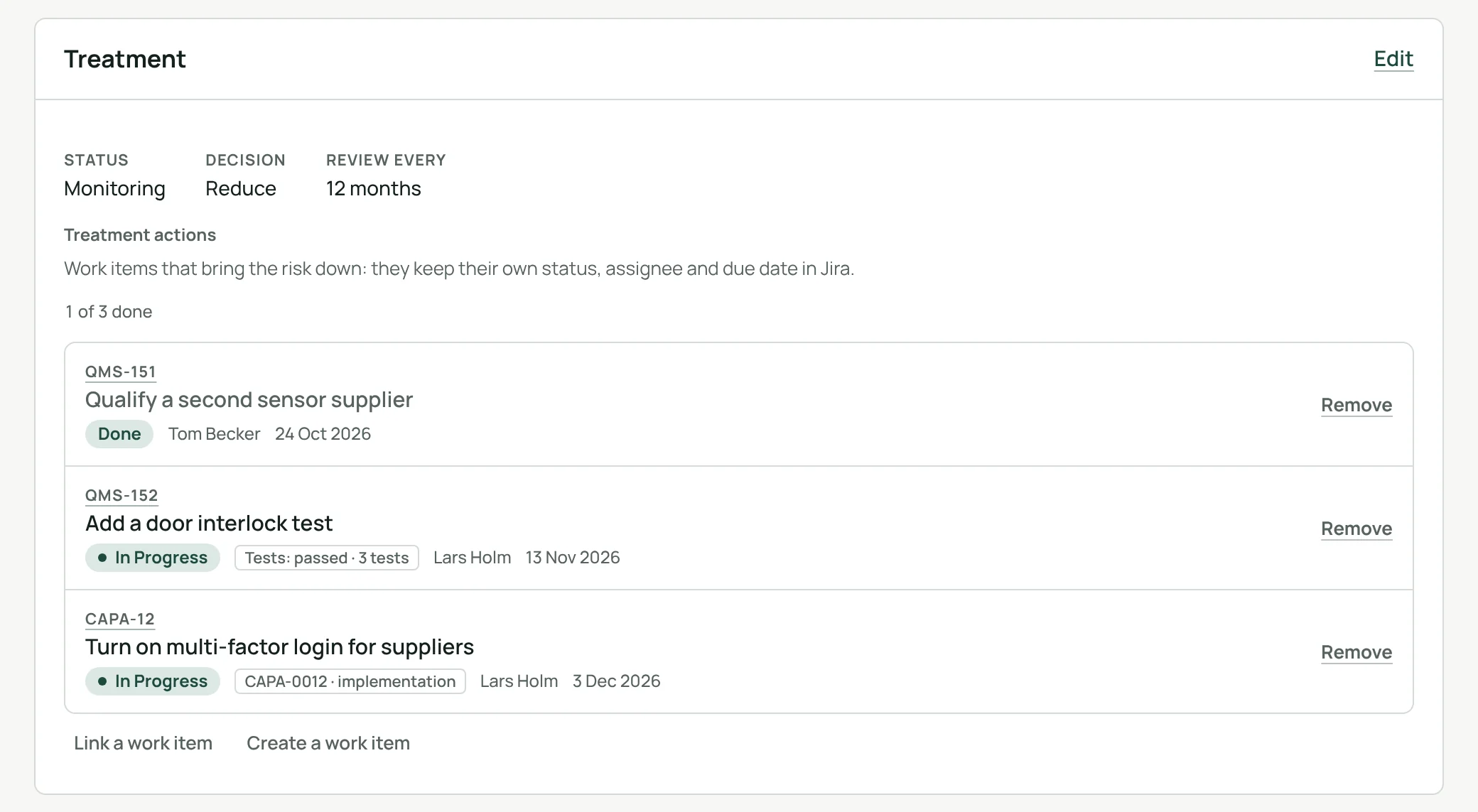
Rate each risk before and after treatment. Treatment actions are Jira work items that keep their own status, assignee and due date. Accepting a residual risk above your acceptance criteria needs a written reason.
- Decision: reduce, accept, avoid or transfer
- A review interval in months and the next review date
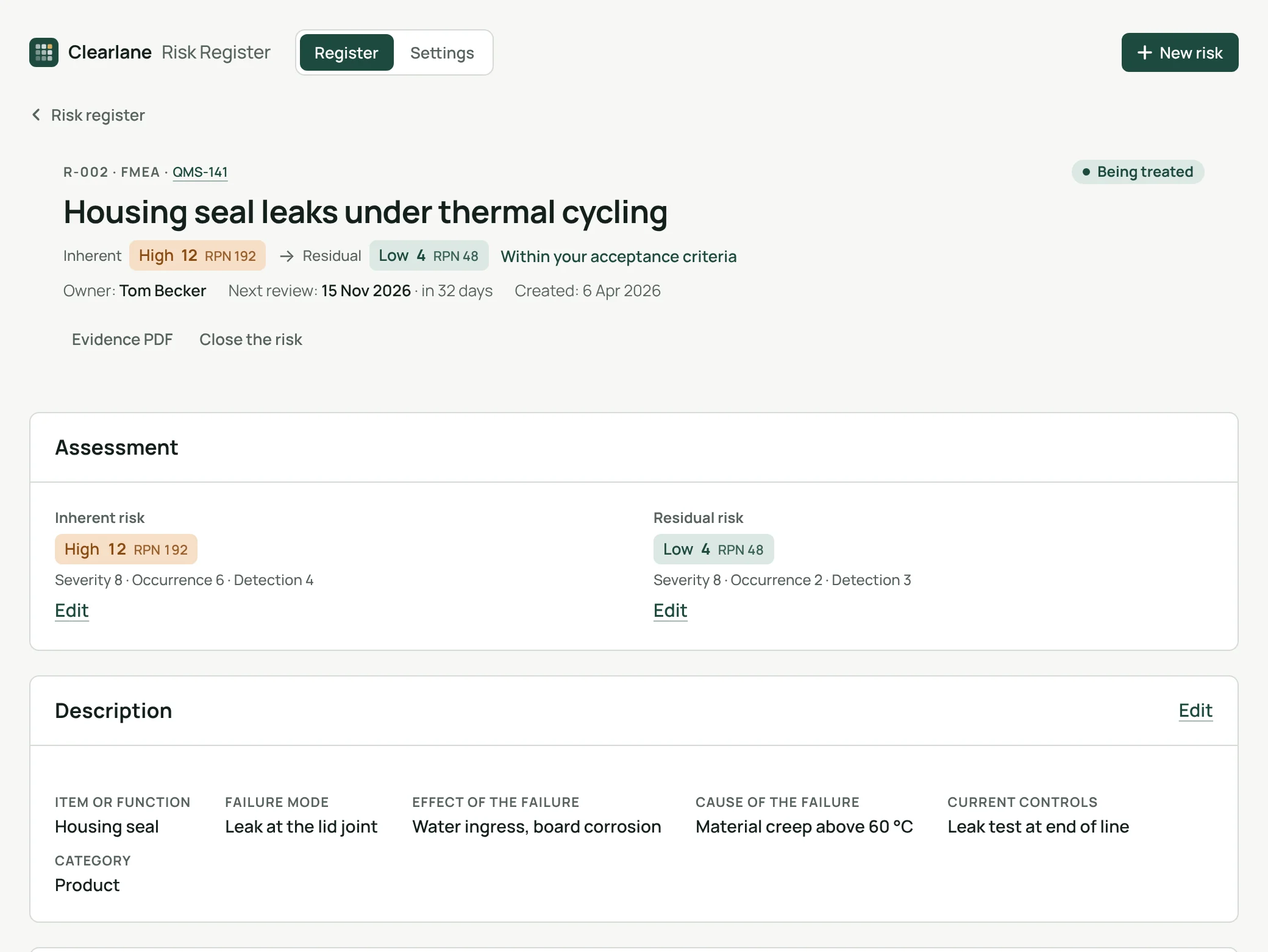
FMEA with severity, occurrence and detection.
The FMEA template rates severity, occurrence and detection from 1 to 10, shows the RPN next to the level, and asks for the failure mode, its effect, its cause and the current controls.
Seven templates, the right questions.
ISO 14971 and FMEA
Hazard, hazardous situation and harm; or failure mode, effect and cause with the RPN.
ISO 27001, NIS2, CRA
Asset, threat and vulnerability; one of the ten measures of NIS2 Article 21(2); a product and an essential requirement of CRA Annex I.
DORA and general
ICT-supported function, provider, threat and vulnerability; or cause, event and consequence.
Periodic reviews your auditor can follow.
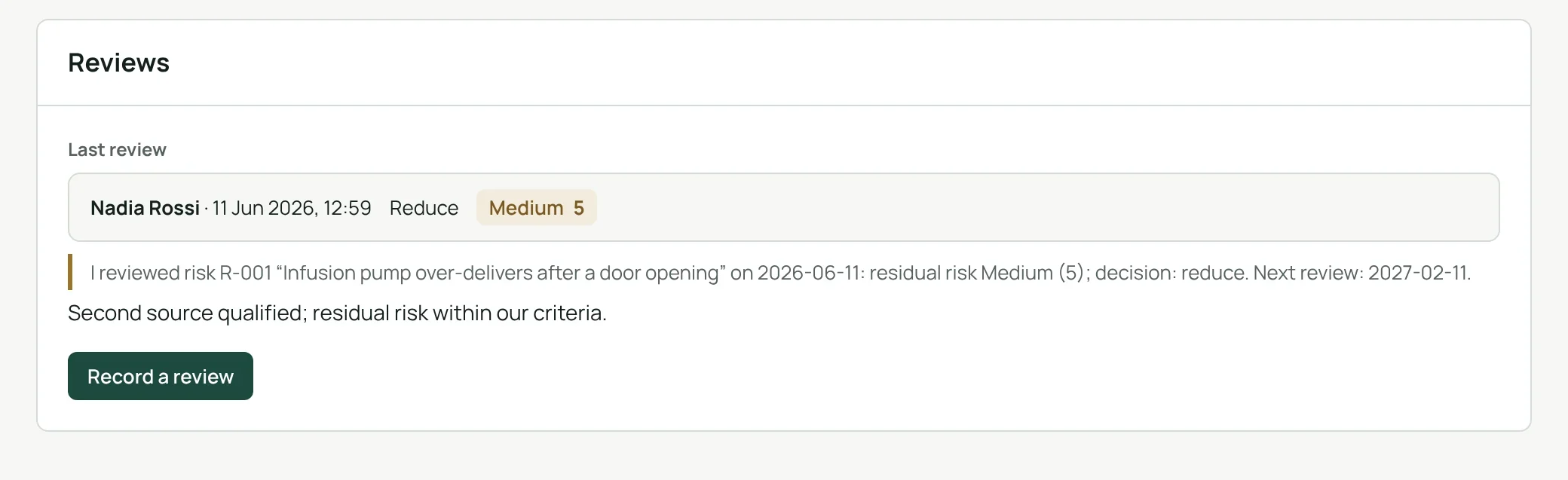
Each review and each closure is signed with a personal signing password and kept in the history. One click builds the PDF evidence file: assessment, treatment, signed reviews and history.
Electronic signature
Name, date and meaning, a personal signing password and the signed statement.
One reminder a day
Owners get at most one e-mail a day: a week before a review is due, then once a week while it is overdue.
CSV and PDF
The register as CSV or PDF, and the evidence file of each risk.
Searchable in Jira
Risk number, level, template and next review as fields of Jira search.
From the work item to the signed review.
- Open the registerfrom the project’s apps menu, or assess any work item from its panel.
- Create and rate the riskchoose a template and a cell of the 5 × 5 map.
- Treat and reviewlink the actions, rate the residual risk, sign each review.
Ask Rovo which risks need attention.
Clearlane Risk Register adds a Rovo agent. Ask it which risks are critical, untreated or overdue for review, or where one risk stands. It answers from the app’s own records, only with what you are allowed to see, and it only reads: it never changes anything. It works where Rovo is turned on for your Atlassian site; Clearlane adds no AI model of its own.
Permissions and data
The app runs on Atlassian Forge (Runs on Atlassian). You see a risk only if you can see its Jira work item. Work items for risks and their actions are created, and work items linked, with the permissions of the person who asks.
Risks, their history, each project’s settings, Atlassian account IDs and the names shown at signing are kept in Atlassian’s Forge storage for your site; signing passwords only as a salted hash. Reminders are at most one e-mail a day per owner, sent by Jira. Nothing is sent to our servers.
Questions, answered.
- Where do I find it?
- In each Jira project, as the Clearlane Risk Register project page, and in the Clearlane Risk Register panel of any work item.
- Who changes the settings?
- Only the administrators of the project. They name the risk managers and set the acceptance criteria, the templates offered and the e-mail reminders.
- Who closes a risk?
- A risk manager of the project, with a signature. Project administrators are risk managers too.
- Does it compute an FMEA RPN?
- Yes. The FMEA template rates severity, occurrence and detection from 1 to 10 and shows the RPN for the inherent and the residual risk.
- Which languages?
- The app follows each person’s Jira language, in English, French or German. Reminder e-mails use the language set for the register.
- Is it available on Atlassian Isolated Cloud?
- Yes. The app is listed on the Atlassian Marketplace for Isolated Cloud. It runs on Atlassian Forge there too, with the same permissions, and its data stays in Atlassian’s storage for your site.
- Does it work with Rovo?
- Yes. Its Rovo agent answers questions such as “Which risks are overdue for review?” from the app’s own records. It only reads, and only shows what you are allowed to see.
Clearlane for Quality
Clearlane for Quality: controlled documents, read confirmations, corrective actions, test evidence and a risk register in Jira and Confluence — signed, traceable and kept in Atlassian.
Built and supported by Maxime Ragionieri, founder of Clearlane. Who’s behind Clearlane →
Free for up to 10 users.
Larger teams pay per user, billed by Atlassian on the Marketplace. No setup, nothing to install outside your Atlassian site. See the price for your team size →