Will the sprint finish on time?
A sprint burndown chart for your Jira dashboard. Pick a project or a saved filter: the gadget follows the current sprint, draws what is left each day against the ideal line, and says in one sentence whether the sprint is on track.
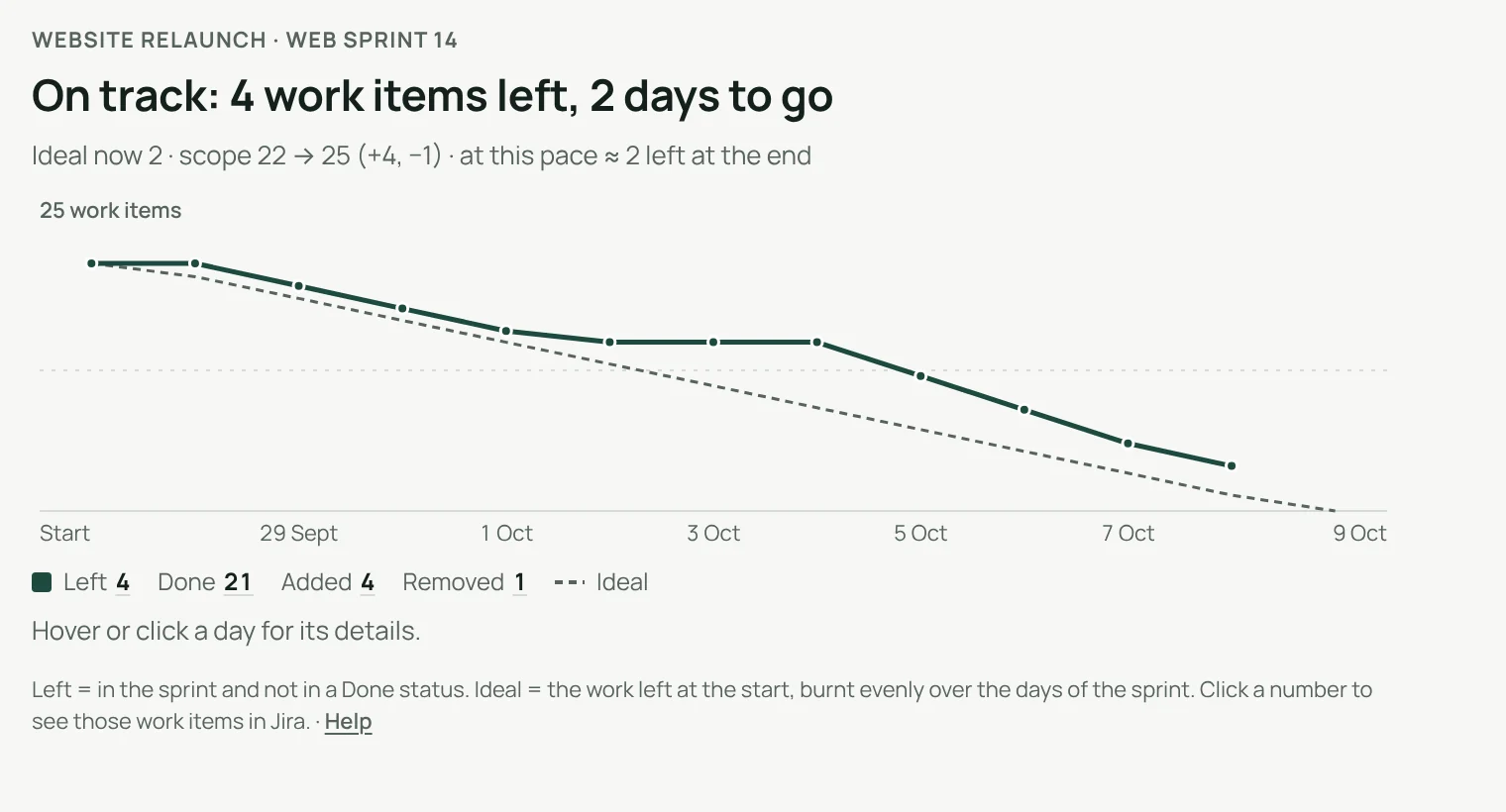
Scope changes in plain sight.
Work added to the sprint or taken out of it is counted and listed, so a flat line never hides new work. Count work items or story points, with sub-tasks if you want them.
- The ideal line burns the work left at the start evenly over the sprint
- Weekends can be left out if your team does not work them
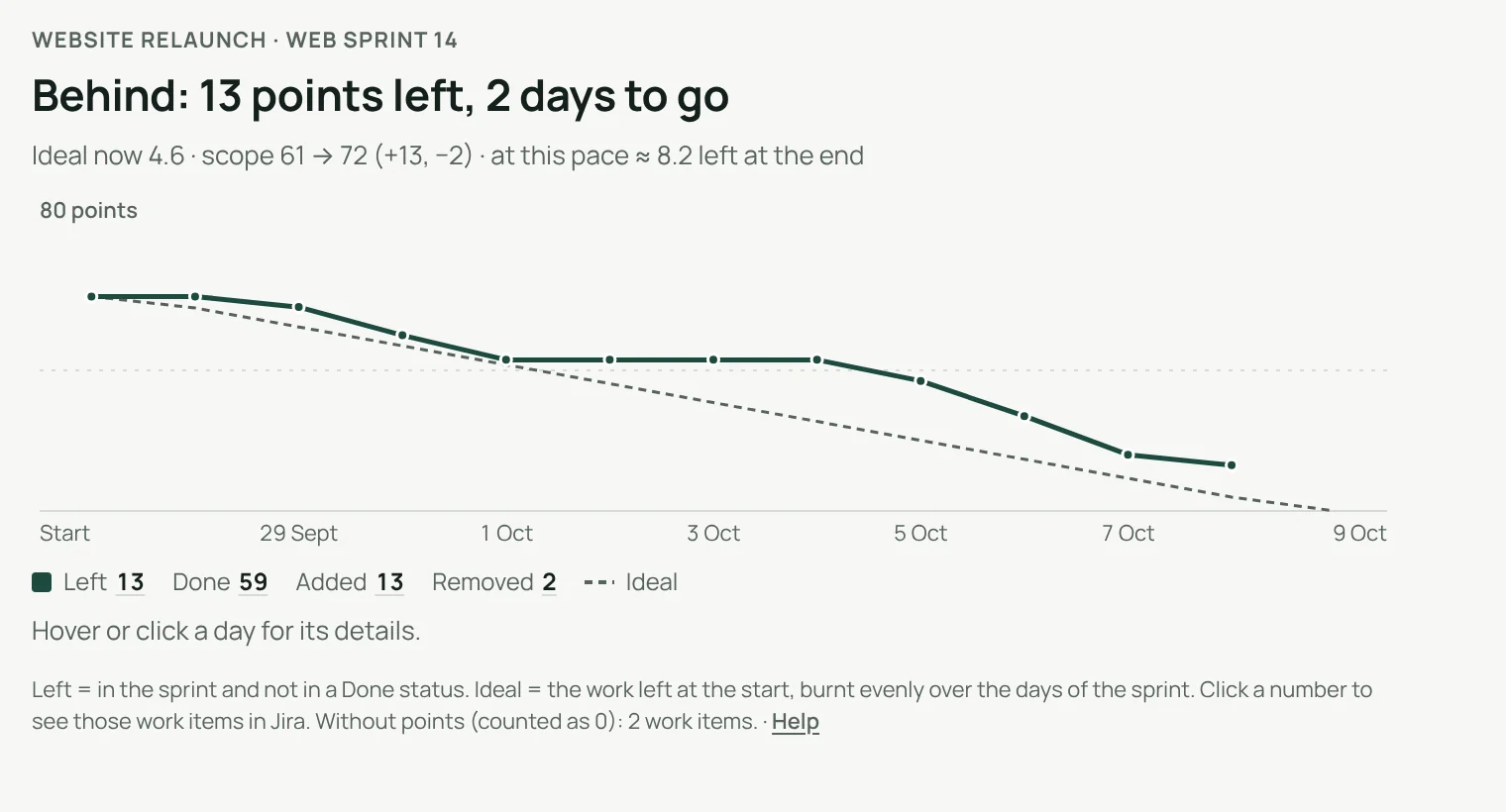
Every number can be checked.
Click a day
See what was left, done, added and removed that day.
Open them in Jira
Each number opens those exact work items.
At this pace
Where the sprint will end if the team keeps its pace.
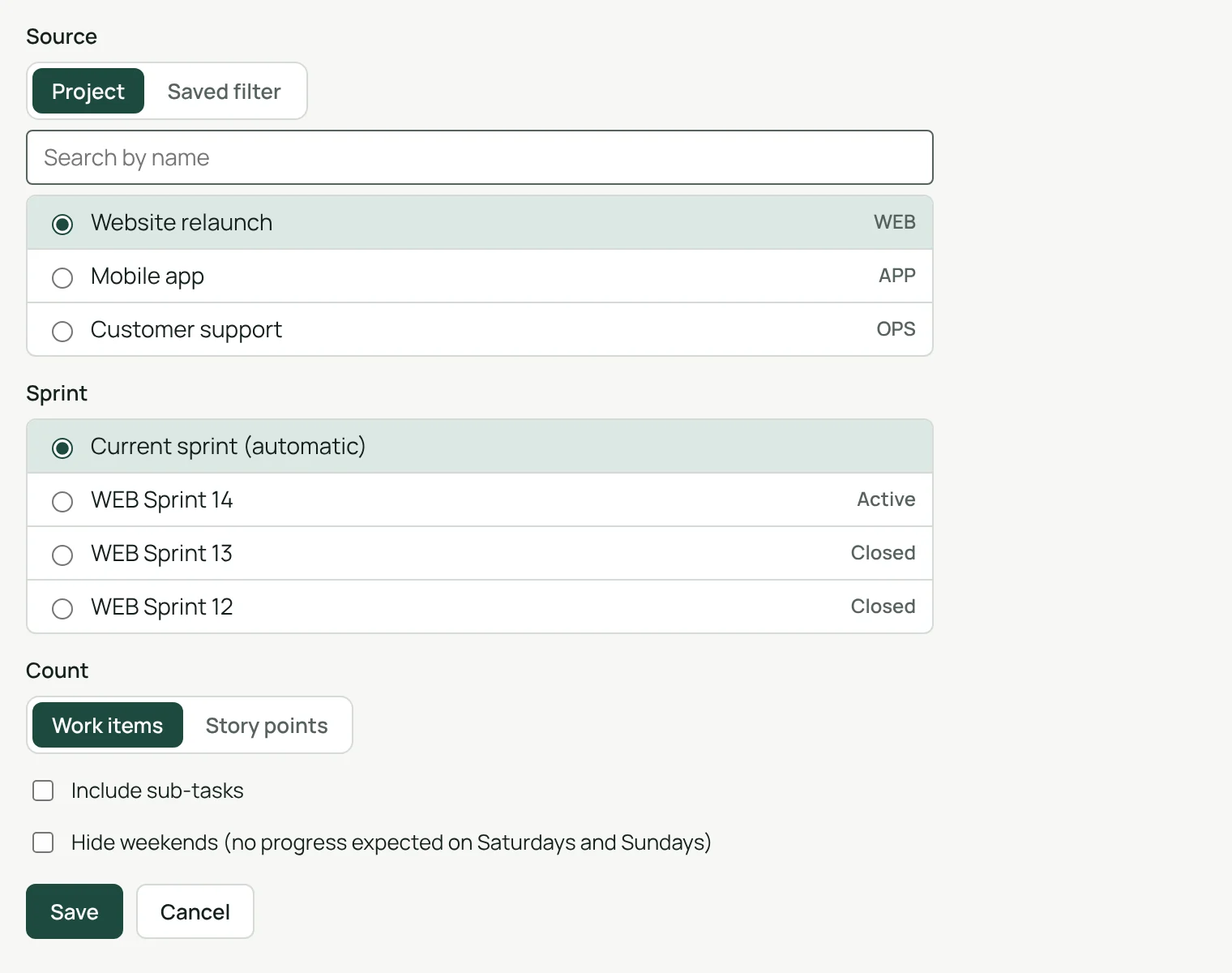
Set up in one screen.
A project or a saved filter, the current sprint or a recent one, work items or story points, sub-tasks and weekends if you want them.
- Each person sees only the projects and filters they can open
- Settings are kept by Jira, with the gadget
Know mid-sprint, not at the review.
A burndown shows each day whether the work left is coming down fast enough to finish with the sprint, and the scope changes that explain why.
Light and dark
Follows Jira’s theme.
English, French, German
Follows each person’s Jira language.
A one-hour cache
To spare Jira, the counts it has just shown are kept one hour at most.
Runs on Atlassian
Nothing leaves your Atlassian site.
Three steps.
- Add the gadgetto any Jira dashboard.
- Pick a source and a sprinta project or a saved filter, the current sprint or a recent one.
- Read the answeron track, behind or ahead, in one sentence.
Permissions and data
The gadget reads Jira with the permissions of the person viewing the dashboard: nobody sees a project or filter they cannot open. Its settings are kept by Jira with the gadget. To spare Jira, it keeps the sprint data it has just read for one hour at most, in Atlassian’s storage for your site: the project or filter name, sprint names and dates, work item IDs, statuses and story points, with no account ID and no work item content. Nothing is sent outside your Atlassian site.
Questions, answered.
- Where do I find it?
- Edit a Jira dashboard, choose Add gadget and pick Sprint Burndown.
- Which sprint does it show?
- The current sprint of the project or filter, found automatically. You can also pick an active or a recently closed sprint in the settings.
- What is the ideal line?
- The work left at the start of the sprint, burnt evenly over its days. Leave weekends out and it only goes down on working days.
- Jira already has a burndown chart. Why this one?
- Jira’s chart belongs to a board. Clearlane Sprint Burndown goes on any dashboard, says in one sentence whether the sprint is on track, counts sub-tasks if you want, can leave weekends out, and every number opens its work items in Jira.
- Does it work in French and German?
- Yes. The gadget follows each person’s Jira language, in English, French or German, in light and dark themes.
Clearlane dashboard gadgets
Five charts for any Jira dashboard, each with its answer in one sentence. Every number opens its work items in Jira.
All Clearlane dashboard gadgetsFree for up to 10 users.
Larger teams pay per user, billed by Atlassian on the Marketplace. No setup, nothing to install outside your Atlassian site.