Which work is stuck right now?
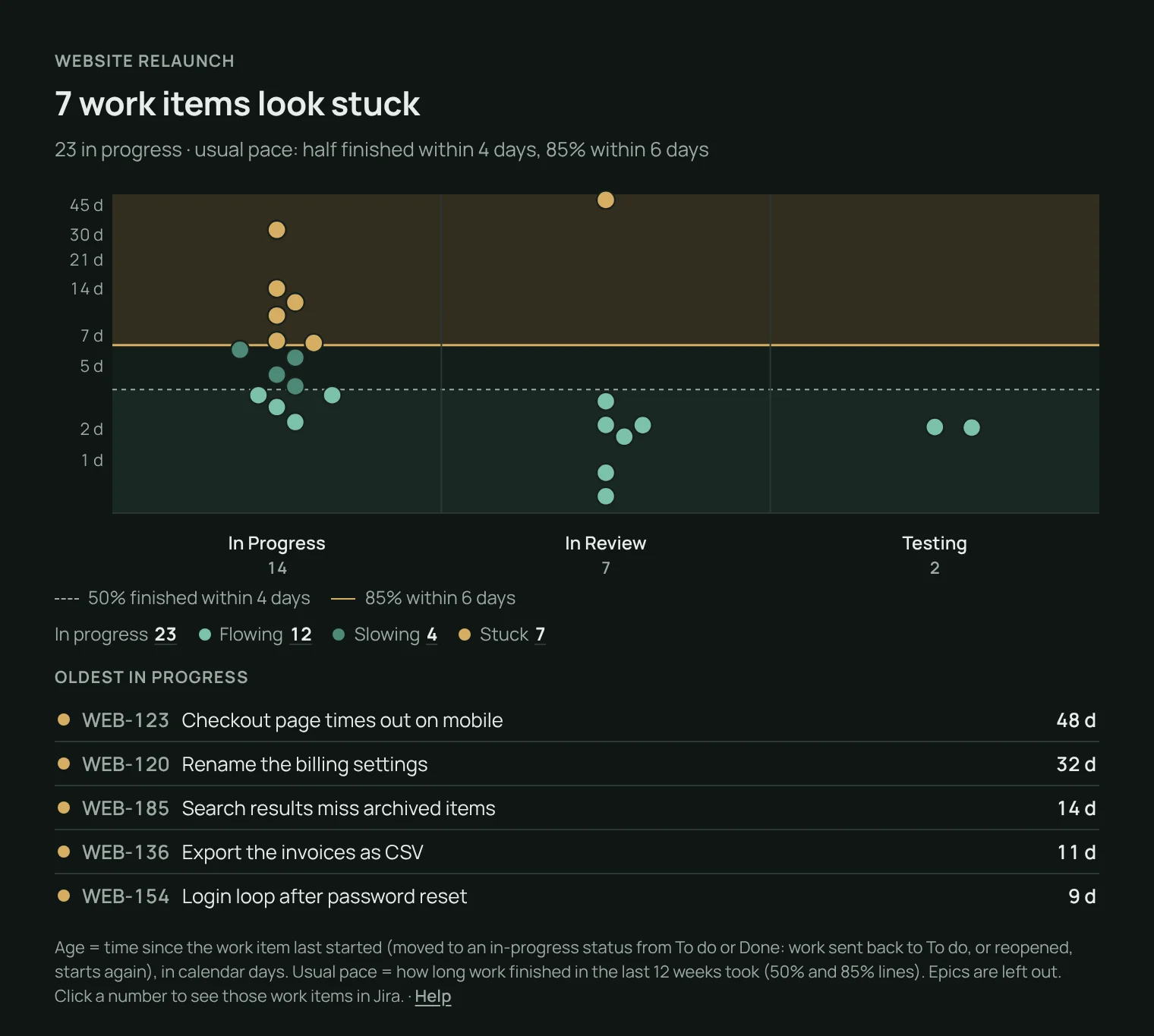
A WIP aging chart for your Jira dashboard. Pick a project or a saved filter: every work item in progress is a dot in its status column, higher the longer it has run, against your team’s usual pace. One sentence names the work that looks stuck.
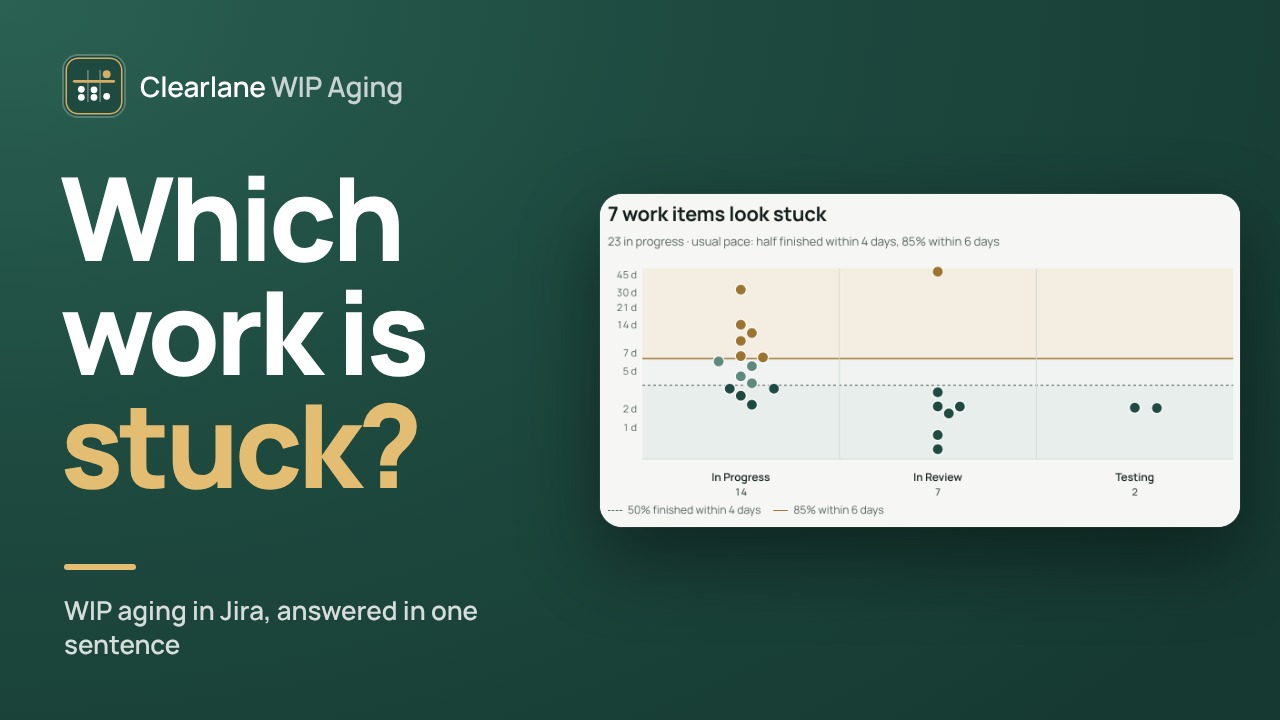
Your team’s usual pace draws the zones.
The 50% and 85% lines come from how long work finished in the last 12 weeks took. Below the first line, work is flowing; between the two, slowing; above, stuck. The oldest work items in progress are listed under the chart.
- Age counts from the last start: work sent back to To do, or reopened, starts again
- Epics are left out
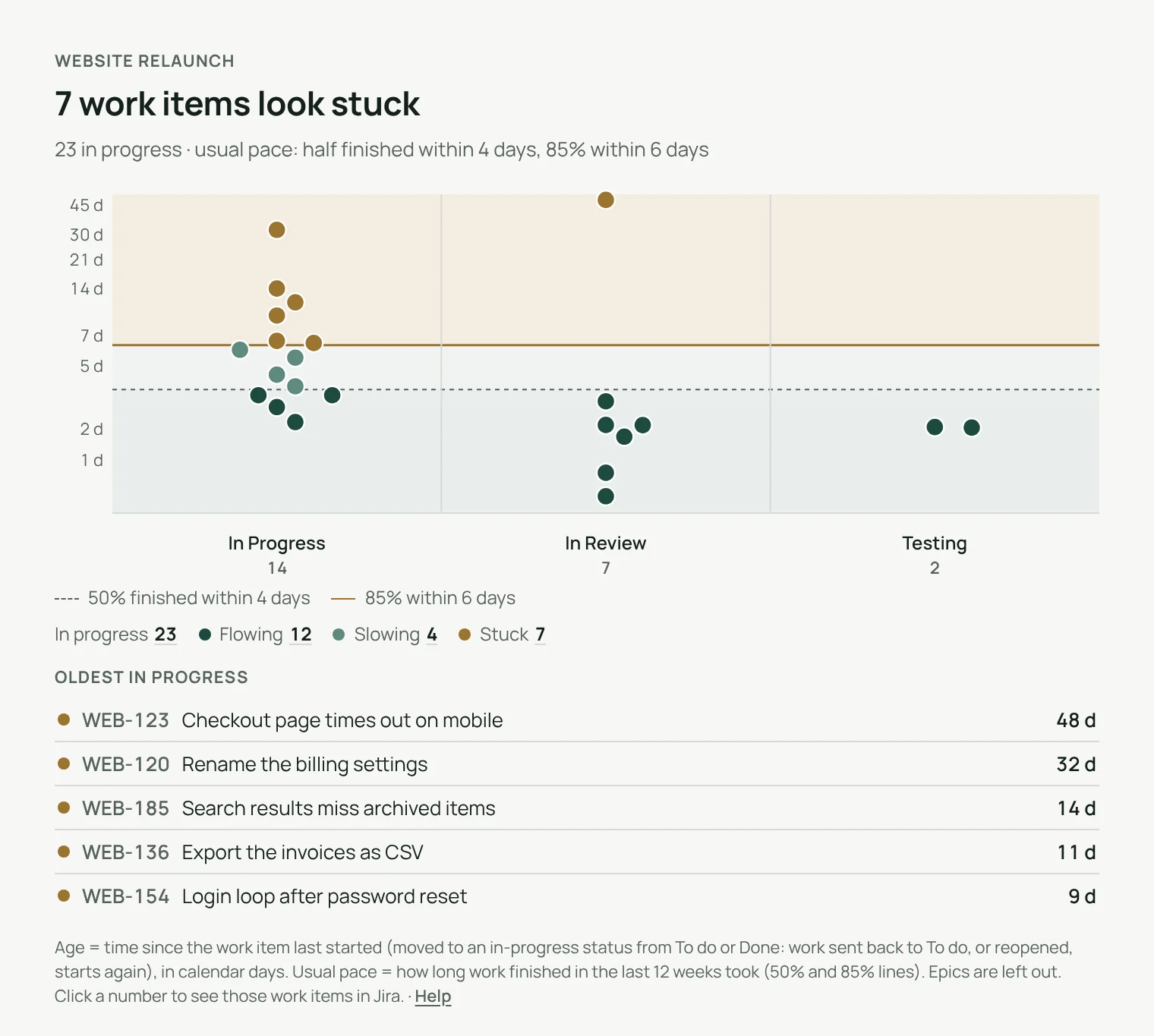
Every number can be checked.
Click a status
Its work items in progress open in Jira.
Click a zone
Flowing, slowing or stuck: those exact work items.
Click a work item
Open it and act on it.
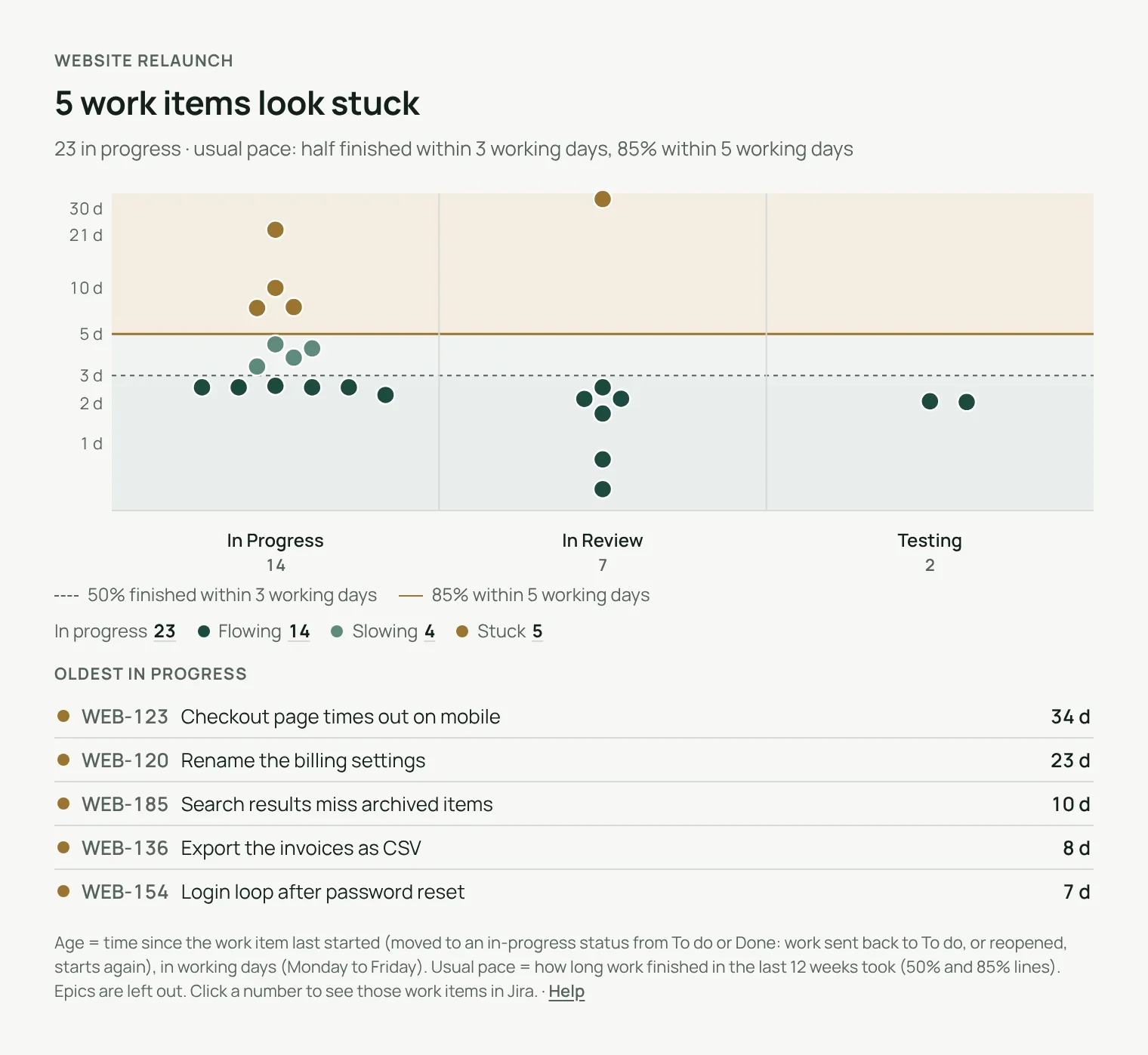
Calendar or working days.
One tick in the settings leaves Saturdays and Sundays out of the ages and of the usual pace.
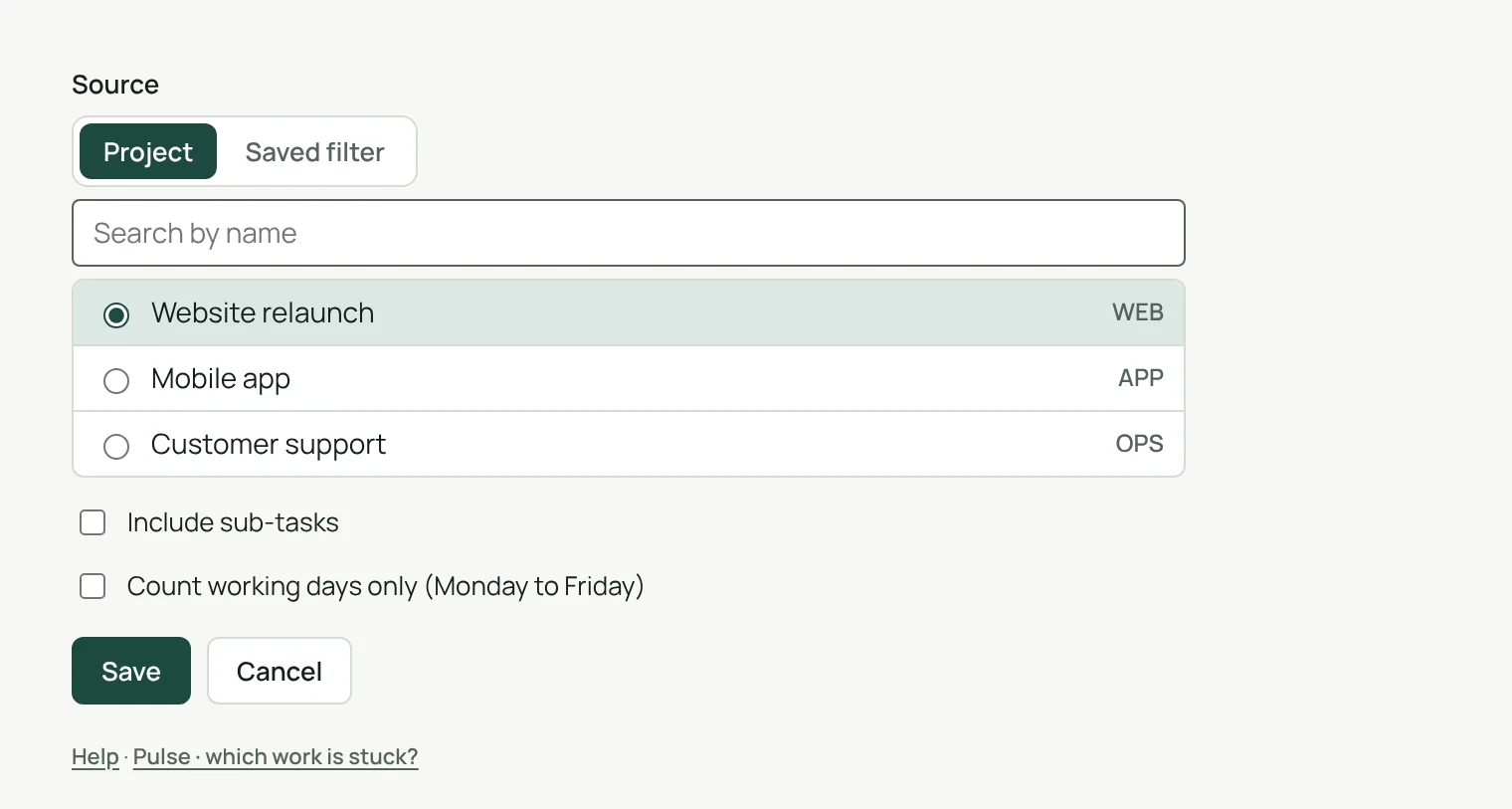
Set up in one screen.
A project or a saved filter, sub-tasks if you want them, working days if you prefer. That is all.
- Each person sees only the projects and filters they can open
- Settings are kept by Jira, with the gadget
See work that runs longer than usual.
Each work item in progress is compared with how long your finished work usually took, so a work item that runs longer than usual stands out the day it crosses the line.
Light and dark
Follows Jira’s theme.
English, French, German
Follows each person’s Jira language.
Less than 24 hours
To spare Jira, what it has just read is kept less than a day.
Runs on Atlassian
Nothing leaves your Atlassian site.
Three steps.
- Add the gadgetto any Jira dashboard.
- Pick a sourcea project or a saved filter.
- Read the answerwhich work looks stuck, in one sentence.
Permissions and data
The gadget reads Jira with the permissions of the person viewing the dashboard: nobody sees a project or filter they cannot open. Its settings are kept by Jira with the gadget. To spare Jira, it keeps what it has just read for less than 24 hours, in Atlassian’s storage for your site: work item IDs and keys, dates, and the IDs, categories and names of statuses; for each project or filter, the status history of finished work items (dates and status IDs), given to a person only for the work items their own Jira search has just returned. No account ID, no person’s name and no work item content is kept. Nothing is sent outside your Atlassian site.
Questions, answered.
- Where do I find it?
- Edit a Jira dashboard, choose Add gadget and pick WIP Aging – Clearlane.
- What is the age of a work item?
- The time since it last started: moved to an in-progress status from To do or Done. Work sent back to To do, or reopened, starts again.
- Where do the 50% and 85% lines come from?
- From how long work finished in the last 12 weeks took, in the same project or filter.
- What if hundreds of work items are in progress?
- The 500 oldest are shown, and the chart says so.
- Does it work in French and German?
- Yes. The gadget follows each person’s Jira language, in English, French or German, in light and dark themes.
Clearlane dashboard gadgets
Seven charts for any Jira dashboard, each with its answer in one sentence. Every number opens its work items in Jira.
All Clearlane dashboard gadgetsBuilt and supported by Maxime Ragionieri, founder of Clearlane. Who’s behind Clearlane →
Free for up to 10 users.
Larger teams pay per user, billed by Atlassian on the Marketplace. No setup, nothing to install outside your Atlassian site. See the price for your team size →